Designing games for older eyes and hands: readable and forgiving
How vision, touch and reaction time change with age, what that means for contrast, targets and pace, and design principles for games that stay friendly at 80.
We have written before about how an older player can choose a good puzzle game. This piece is for the other side of the screen: designers and developers who want their game to work for people in their seventies and eighties. It draws on the research on how vision, movement and speed change with age, and turns it into a small set of principles. None of them are exotic. Most make a game better for everyone, which is the best argument for doing them.
Cynthia Owsley’s review of 25 years of research on ageing and vision is a useful corrective to the idea that older eyes simply need bigger text. The changes she describes include a loss of contrast sensitivity, so pale grey on white or dark blue on black becomes hard to separate; poorer vision in low light; slower recovery from glare; reduced sensitivity to flicker and motion; and slower visual processing, meaning it takes longer to take in what is on screen.
Each has a design consequence. Loss of contrast sensitivity argues for strong contrast between text and background and between game pieces and the board, not only large type. Poor low-light vision matters for games played in bed or on an evening sofa, where dark themes and dim palettes are common. Slower processing argues against information that appears briefly or changes quickly. Hawthorn’s review of ageing for interface designers, now a quarter of a century old, drew many of the same conclusions and remains a good checklist.
Colour changes too. The lens of the eye yellows with age, and blues and purples in particular become harder to tell apart, a different pattern from the red–green confusions of inherited colour blindness. A game that relies on a subtle difference between two blues can become unplayable for an older player without anyone on the team noticing. Our piece on colour blindness in games explains why a symbol on every coloured piece helps with both.
Sources1Owsley, C. (2011). Aging and vision. Vision Research, 51(13), 1610–1622.2Hawthorn, D. (2000). Possible implications of aging for interface designers. Interacting with Computers, 12(5), 507–528.
Seidler and colleagues’ review of motor control and ageing describes slower movement, reduced coordination and more variable fine motor control, linked to changes in the brain’s motor systems. Tremor and arthritis add to this for many people. On a touchscreen, that shows up as more missed taps, more accidental touches and more difficulty with gestures that must be precise or quick.
Touchscreens are still a good fit for older users. Findlater and colleagues compared older and younger adults on pointing, dragging and other tasks with a mouse and a touchscreen. Older adults were slower overall, but the touchscreen narrowed the gap: it cut their movement time by 35% compared with the mouse, against 16% for younger adults, and errors fell too. Motti, Vigouroux and Gorce, testing drag-and-drop in tactile puzzle games with 24 people aged 65 to 86, found it an efficient technique even on a smartphone, though a stylus improved accuracy. The lesson is not to avoid touch, but to make targets generous.
Sources3Seidler, R. D., Bernard, J. A., Burutolu, T. B., Fling, B. W., Gordon, M. T., Gwin, J. T., Kwak, Y., & Lipps, D. B. (2010). Motor control and aging: Links to age-related brain structural, functional, and biochemical effects. Neuroscience & Biobehavioral Reviews, 34(5), 721–733.4Findlater, L., Froehlich, J. E., Fattal, K., Wobbrock, J. O., & Dastyar, T. (2013). Age-related differences in performance with touchscreens compared to traditional mouse input. In Proceedings of the SIGCHI Conference on Human Factors in Computing Systems (pp. 343–346). ACM.5Motti, L. G., Vigouroux, N., & Gorce, P. (2014). Drag-and-drop for older adults using touchscreen devices: Effects of screen sizes and interaction techniques on accuracy. In Proceedings of the 26th Conference on l’Interaction Homme-Machine (pp. 139–146). ACM.
It is tempting to build an “easy mode for seniors”. The research suggests that would be a mistake. Findlater and Zhang collected input data from more than 700 people and analysed 318 of them, aged 18 to 83. Performance declined steadily with age on average, but individuals varied so widely that knowing someone’s age, or even whether they reported a motor impairment, told you little about how they would actually perform. Motti’s study found some participants over 80 outperforming people in their seventies.
So design for a range. Build in the settings that let each player adjust, respect the system settings they have already chosen, and make the default generous enough that most people never need to change it. Our player’s checklist for older adults shows what that looks like from the other side.
Sources6Findlater, L., & Zhang, L. (2020). Input accessibility: A large dataset and summary analysis of age, motor ability and input performance. In Proceedings of the 22nd International ACM SIGACCESS Conference on Computers and Accessibility (pp. 1–6). ACM.5Motti, L. G., Vigouroux, N., & Gorce, P. (2014). Drag-and-drop for older adults using touchscreen devices: Effects of screen sizes and interaction techniques on accuracy. In Proceedings of the 26th Conference on l’Interaction Homme-Machine (pp. 139–146). ACM.
Put together, the research points to five principles. They overlap with the target size guidance in the web’s accessibility standard, and with what we have found building a puzzle game.
The single most useful test is also the cheapest: put the game in front of a few people in their seventies and eighties and watch them play without helping. Where they hesitate, squint, tap twice or ask what something means, the design has failed them, and usually it has failed plenty of younger players too, more quietly. You can run the same exercise on us by handing someone a board in the browser.
- Readable: high contrast everywhere, clear sans-serif type that grows with the system text size, nothing important in thin, pale or small text.
- Tappable: large targets with space between them, placed where a thumb can reach, and gestures that need one finger and no speed.
- Forgiving: an easy undo, confirmation before anything costly, and no penalty for a stray touch.
- Unhurried: no timers on ordinary play, no information that flashes past, and the freedom to stop at any moment without loss.
- Predictable: consistent layouts and controls, no surprise pop-ups, and new mechanics introduced one at a time.
Sources1Owsley, C. (2011). Aging and vision. Vision Research, 51(13), 1610–1622.4Findlater, L., Froehlich, J. E., Fattal, K., Wobbrock, J. O., & Dastyar, T. (2013). Age-related differences in performance with touchscreens compared to traditional mouse input. In Proceedings of the SIGCHI Conference on Human Factors in Computing Systems (pp. 343–346). ACM.2Hawthorn, D. (2000). Possible implications of aging for interface designers. Interacting with Computers, 12(5), 507–528.
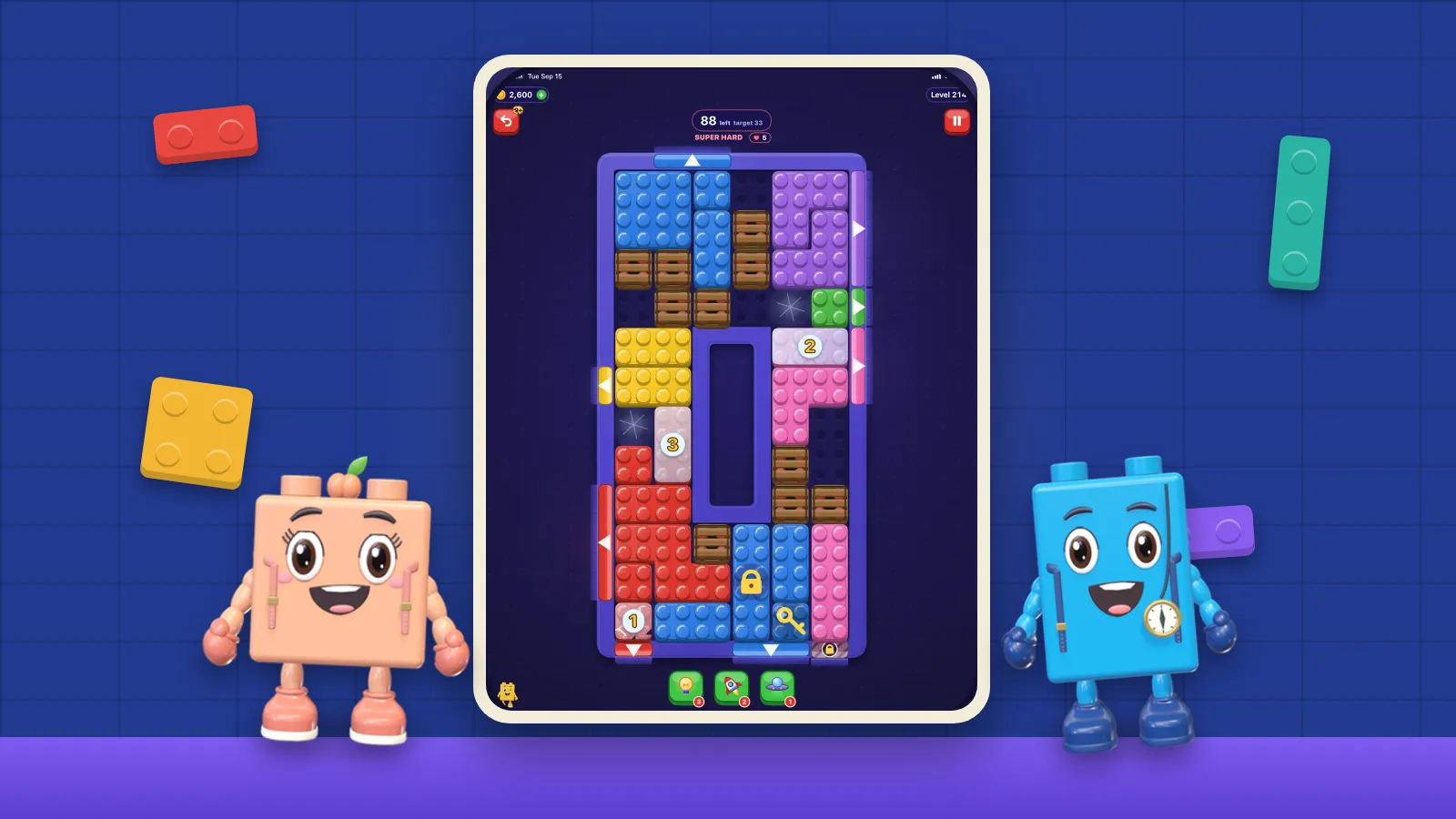
Here is how we have tried to apply those principles, and where the limits are. Every brick carries its identity in hue, shape and studs, and colour-blind glyphs are on by default, which also helps with the blue and purple confusions that become common with age. Larger Text scales throughout and Reduce Motion is honoured everywhere. There is never a clock: each board shows its move limit before the first move, and the first undo on every board is free. Crates, ice, locks, moss and counted gates appear only on later boards, once the basics are familiar. Progress syncs through iCloud, so what you play on an iPhone carries over to the bigger screen of an iPad.
We have not solved everything. Sliding a brick is still a directed gesture, and some players will find it harder than a tap. That is why the accessibility page asks for specifics when a control is hard to reach or read. For the related case of players with motor impairments, see one-handed games on iPhone.
Filed under
Questions, answered
A few useful answers
How should games be designed for older adults?
Use high contrast and text that scales, large and well-spaced touch targets, an easy undo, no timers on ordinary play, and consistent, predictable layouts. Most of these changes help every player.
Are touchscreens good for older people?
Generally yes. One study found a touchscreen cut older adults’ movement time by 35% compared with a mouse, narrowing the gap with younger users, though small targets and precise gestures still cause more errors.
Why is contrast more important than text size for older players?
Ageing reduces contrast sensitivity and vision in dim light, so pale or low-contrast text stays hard to read even when it is large. Strong contrast and larger text work best together.
Should games have a special mode for seniors?
Research on input performance finds that age predicts individual ability poorly. Generous defaults and adjustable settings serve older players better than a separate mode built on assumptions about age.
APA 7
References
Where a source is a studio’s own history or a news account rather than a study, the article says so beside the claim.
- Owsley, C. (2011). Aging and vision. Vision Research, 51(13), 1610–1622. doi.org/10.1016/j.visres.2010.10.020 (opens in a new tab)
- Hawthorn, D. (2000). Possible implications of aging for interface designers. Interacting with Computers, 12(5), 507–528. doi.org/10.1016/s0953-5438(99)00021-1 (opens in a new tab)
- Seidler, R. D., Bernard, J. A., Burutolu, T. B., Fling, B. W., Gordon, M. T., Gwin, J. T., Kwak, Y., & Lipps, D. B. (2010). Motor control and aging: Links to age-related brain structural, functional, and biochemical effects. Neuroscience & Biobehavioral Reviews, 34(5), 721–733. doi.org/10.1016/j.neubiorev.2009.10.005 (opens in a new tab)
- Findlater, L., Froehlich, J. E., Fattal, K., Wobbrock, J. O., & Dastyar, T. (2013). Age-related differences in performance with touchscreens compared to traditional mouse input. In Proceedings of the SIGCHI Conference on Human Factors in Computing Systems (pp. 343–346). ACM. doi.org/10.1145/2470654.2470703 (opens in a new tab)
- Motti, L. G., Vigouroux, N., & Gorce, P. (2014). Drag-and-drop for older adults using touchscreen devices: Effects of screen sizes and interaction techniques on accuracy. In Proceedings of the 26th Conference on l’Interaction Homme-Machine (pp. 139–146). ACM. doi.org/10.1145/2670444.2670460 (opens in a new tab)
- Findlater, L., & Zhang, L. (2020). Input accessibility: A large dataset and summary analysis of age, motor ability and input performance. In Proceedings of the 22nd International ACM SIGACCESS Conference on Computers and Accessibility (pp. 1–6). ACM. doi.org/10.1145/3373625.3417031 (opens in a new tab)