Puzzle games for older adults: what to look for
Readable text, generous buttons, no clock and colours you can tell apart: a practical checklist for choosing a puzzle game at 50, 70 or 90.
Plenty of the people playing puzzle games on phones and tablets are grandparents, and many of those games were plainly not designed with them in mind: tiny buttons, pale text, a countdown ticking in the corner and colours that blur into each other. This is a practical guide for choosing a puzzle game that works well at any age, whether you are picking one for yourself or setting up a tablet for a parent. We make OutBrick and use it as the worked example, but every point on the checklist applies to any game.
AARP’s 2023 research found that 45% of Americans aged 50 and over play video games, around 52 million people, and 84% of them play on a smartphone. Puzzle and logic games were the most popular type, played by 73% of those gamers, ahead of card and tile games and word games. Almost half play every day.
A follow-up AARP study in 2024 asked older players about accessibility. About two-thirds said age-related changes, most often in vision, affect how they play, and half had run into at least one accessibility problem while gaming. The features they asked for most included adjustable text size, a way to turn off distracting effects, easy onboarding and adjustable difficulty. Those figures come from the United States, but the problems are universal.
Sources1Kakulla, B. (2023). The 50-plus gamer of today and tomorrow. AARP Research.2Kakulla, B. (2024). 2024 gamer accessibility survey: Annotated questionnaire. AARP Research.
Small text and small tap targets were the main barriers in Nielsen Norman Group’s long-running usability tests with people over 65, and older participants made more mistakes than younger ones on the same tasks. Games are no different. A level that is easy to solve but hard to see, or a button you keep missing, turns a restful puzzle into a chore.
Apple’s design guidelines give a default size of 44 by 44 points for controls on iPhone and iPad and ask apps to let text grow a long way, ideally by supporting the system’s Dynamic Type sizes. The web’s accessibility guidelines set a lower minimum of 24 by 24 pixels for targets, with 44 by 44 at their strictest level. You do not need to measure anything: if you find yourself tapping twice, or squinting, the game is too small for you.
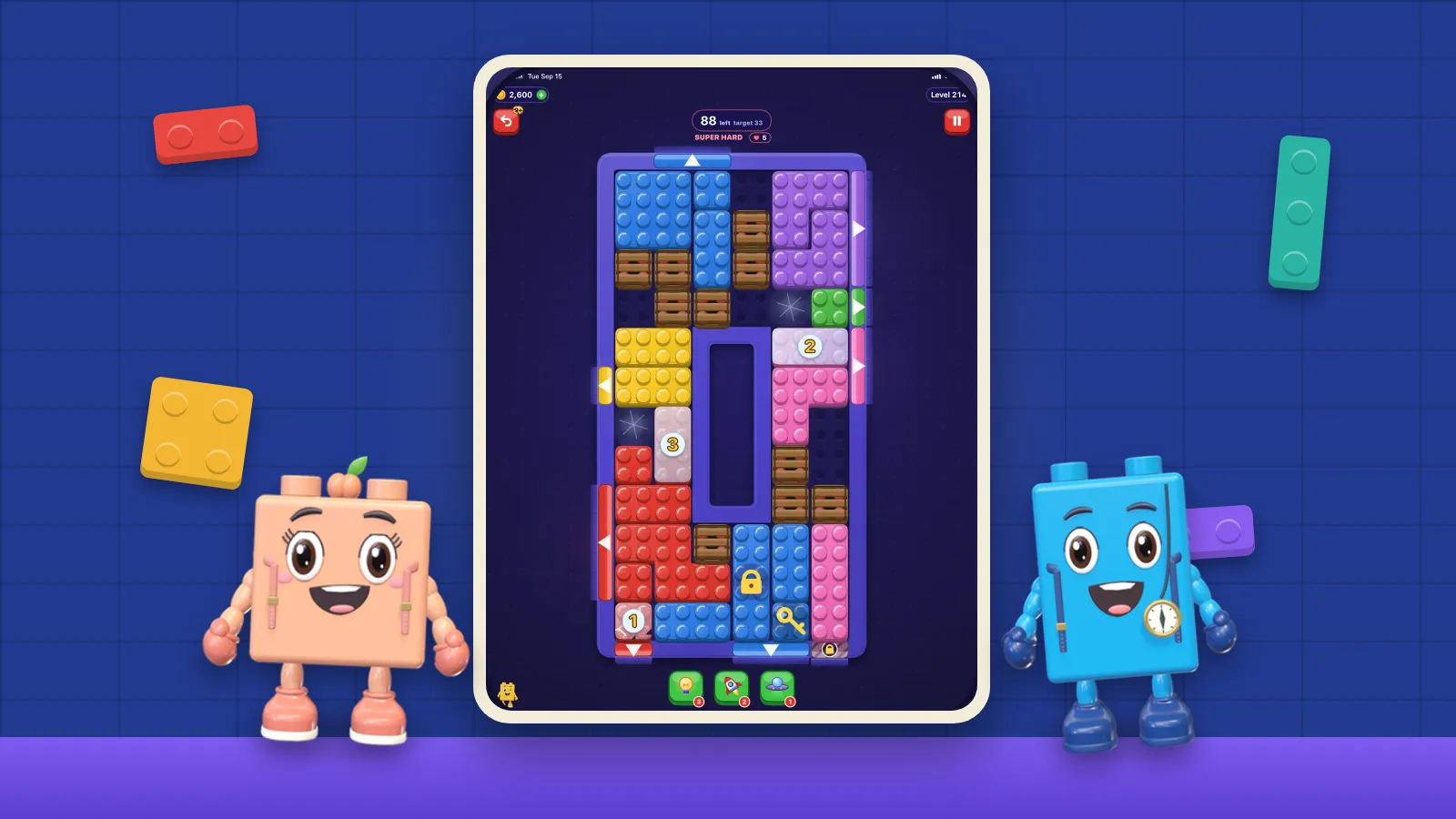
The quickest test is to change the system text size before you judge a game. On iPhone and iPad, go to Settings, then Accessibility, then Display & Text Size, and turn on Larger Text. Then open the game. Good games get bigger. Others ignore the setting entirely. In OutBrick, Larger Text scales throughout, and on an iPad the bricks themselves are large enough to tap comfortably.
Sources3Kane, L. (2019, September 8). Usability for older adults: Challenges and changes. Nielsen Norman Group.4Apple Inc. (n.d.). Accessibility. Human Interface Guidelines.5World Wide Web Consortium. (2023). Understanding Success Criterion 2.5.8: Target Size (Minimum). Web Content Accessibility Guidelines 2.2.6Apple Inc. (n.d.). Use display and text size preferences on your iPhone, iPad and iPod touch. Apple Support.
Colour vision changes with age, and not in the way many people expect. The lens of the eye yellows over time, and the colours that become hardest to separate are usually blues, purples and some yellows and greens, rather than the red and green of common colour blindness. Tamura and Sato found that older adults took far longer than younger ones to find a target that differed from its surroundings only on a blue–yellow axis.
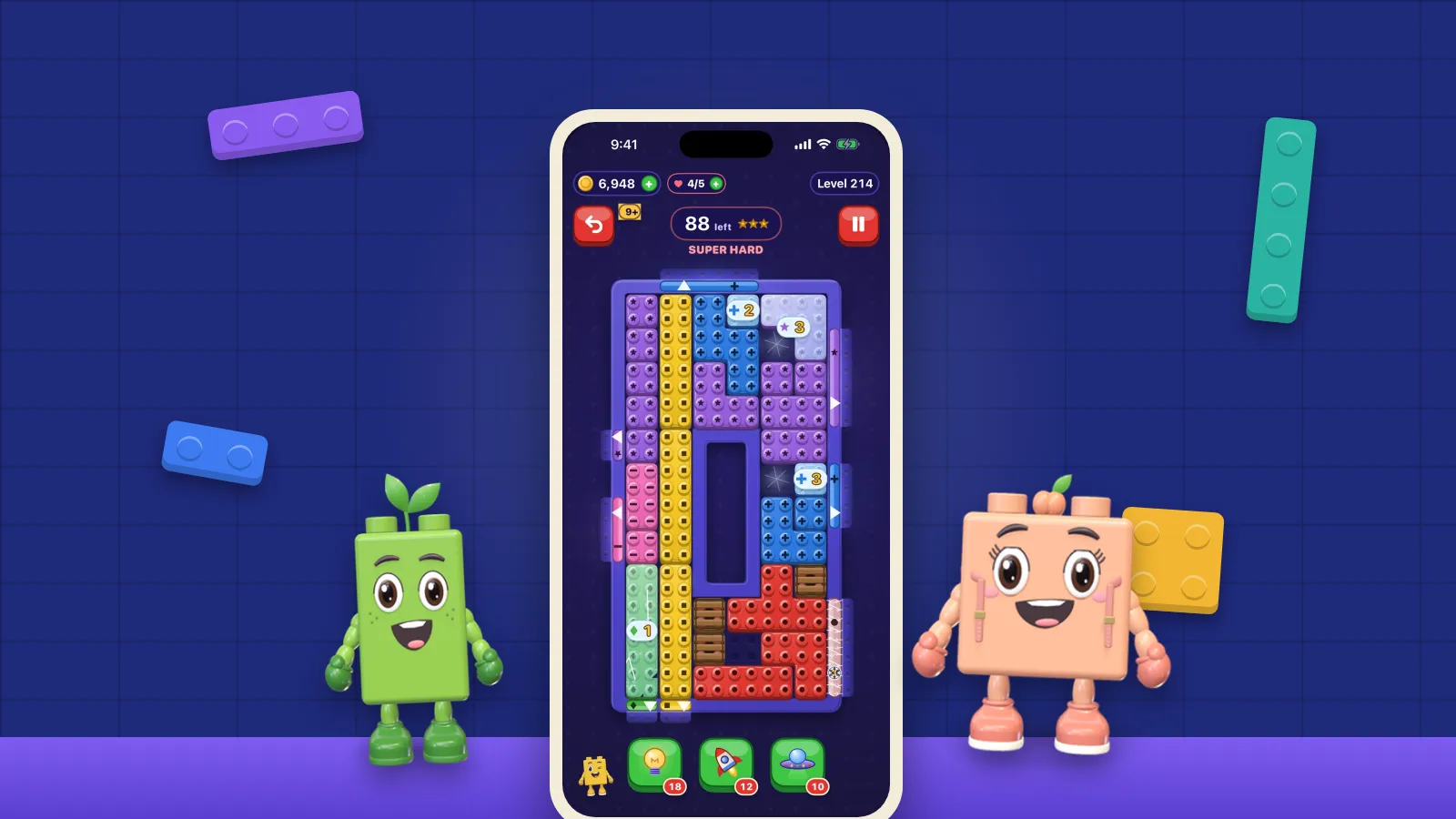
That matters a great deal for colour-sort and match-three games, which often lean on exactly those shades. Look for a game that backs colour up with something else: a symbol, a shape or a pattern on each piece. Apple’s Differentiate Without Colour setting, under Display & Text Size, asks apps to do this, and good games respect it. OutBrick goes further: its colour-blind mode is on by default and stamps a distinct glyph on every brick and the gate it belongs to, so colour is never the only clue. We wrote more about this in why colour should never be the only clue in a puzzle.
Sources7Tamura, S., & Sato, K. (2020). Age-related changes in visual search: Manipulation of colour cues based on cone contrast and opponent modulation space. Scientific Reports, 10, 21328.
A countdown is one of the least friendly things a game can add for an older player. Reaction times slow with age, and a timer turns a thinking puzzle into a reflex test. Look for games with no clock on normal levels, or with a move limit instead, so that time spent thinking is free. OutBrick has no clock anywhere; each board has a move limit shown before your first move.
Motion is the other thing to check. Flashing rewards, screen shakes and swooping transitions are tiring for many people and uncomfortable for some. On iPhone and iPad, Settings, then Accessibility, then Motion, then Reduce Motion replaces sliding and zooming effects with gentle fades in apps that support it. OutBrick honours Reduce Motion everywhere.
Finally, look at how the game makes money, because that is where most unwelcome surprises come from. Adverts that play on their own, pop-up offers when you fail and prompts to buy are confusing when you are new to a game, and easy to tap by accident. A game should say plainly what costs what. OutBrick lists exactly what lives, undos and adverts cost on its home page: adverts are rewarded videos that only play when you press a button to see them.
Sources8Apple Inc. (n.d.). Reduce screen motion on your iPhone, iPad, or iPod touch. Apple Support.
Setting a game up for someone else? Do it together, and let them decide how it should look and feel. Turn the accessibility settings on first, sign in to their Apple Account so progress is kept, and play a few levels side by side. Games you enjoy together are also the ones most likely to become a shared habit, which is a good reason in itself. And a word of honesty: puzzle games are a pleasure, not a medicine. We looked at what the research says about puzzles and the brain separately.
- Does the text get bigger when you turn on Larger Text?
- Can you hit every button first time, including the small ones in the corners?
- Is every piece recognisable by shape or symbol, not only by colour?
- Is there no clock on normal levels?
- Does it respect Reduce Motion?
- Does anything play, pop up or ask for money without you pressing a button?
- Can you stop at any moment without losing anything?
- Does it work offline, so a weak signal never gets in the way?
Filed under
Questions, answered
A few useful answers
What makes a puzzle game good for older adults?
Readable text that grows with the system text size, large buttons, pieces you can tell apart by shape as well as colour, no countdown, calm motion and no adverts or offers that appear on their own.
Is an iPad or an iPhone better for puzzle games?
An iPad gives bigger pieces and buttons, which many older players find easier to see and tap. A phone is handier to carry. Many games, including OutBrick, run on both and keep progress in step through iCloud.
Which iPhone settings help with games?
Under Settings, Accessibility: Display & Text Size for Larger Text, Bold Text and Differentiate Without Colour, and Motion for Reduce Motion. Games that support these settings become easier to read and calmer to play.
Does OutBrick work for older players?
It was designed to. There is no clock, colour-blind mode is on by default with a glyph on every brick, Larger Text scales throughout, Reduce Motion is honoured, and it plays on iPhone and iPad.
APA 7
References
Where a source is a studio’s own history or a news account rather than a study, the article says so beside the claim.
- Kakulla, B. (2023). The 50-plus gamer of today and tomorrow. AARP Research. doi.org/10.26419/res.00585.001 (opens in a new tab)
- Kakulla, B. (2024). 2024 gamer accessibility survey: Annotated questionnaire. AARP Research. doi.org/10.26419/res.00791.001 (opens in a new tab)
- Kane, L. (2019, September 8). Usability for older adults: Challenges and changes. Nielsen Norman Group. www.nngroup.com/articles/usability-for-senior-citizens (opens in a new tab)
- Apple Inc. (n.d.). Accessibility. Human Interface Guidelines. developer.apple.com/design/human-interface-guidelines/accessibility (opens in a new tab)
- World Wide Web Consortium. (2023). Understanding Success Criterion 2.5.8: Target Size (Minimum). Web Content Accessibility Guidelines 2.2. www.w3.org/WAI/WCAG22/Understanding/target-size-minimum.html (opens in a new tab)
- Apple Inc. (n.d.). Use display and text size preferences on your iPhone, iPad and iPod touch. Apple Support. support.apple.com/en-gb/111773 (opens in a new tab)
- Tamura, S., & Sato, K. (2020). Age-related changes in visual search: Manipulation of colour cues based on cone contrast and opponent modulation space. Scientific Reports, 10, 21328. doi.org/10.1038/s41598-020-78303-4 (opens in a new tab)
- Apple Inc. (n.d.). Reduce screen motion on your iPhone, iPad, or iPod touch. Apple Support. support.apple.com/en-us/111781 (opens in a new tab)