Play block puzzles online without downloading an app
Try OutBrick’s browser boards without installing an app. Learn the controls, daily-board rotation, scoring and differences from the full game.
You want to move a few blocks, not commit to another download. A browser puzzle can answer a useful first question: do I enjoy this kind of problem? OutBrick has playable boards on its website, alongside its separate App Store game. You can explore the sliding rule directly, without treating store screenshots as a substitute for play. This guide explains where to start, how the web controls work, what the daily board means and where the browser experience stops. It is a guide to our own website, checked on 30 September 2026, rather than a ranking of every no-download puzzle service. The small web version is a useful introduction on its own terms; it does not reproduce the full app.
For a first encounter, open the OutBrick play guide. It includes a three-board playable tour, beginning with a gentle introduction and adding arrangements that make the stopping rule matter. You are not choosing a difficulty setting for the entire app. You are testing whether moving bricks to matching gates feels understandable and worth another attempt.
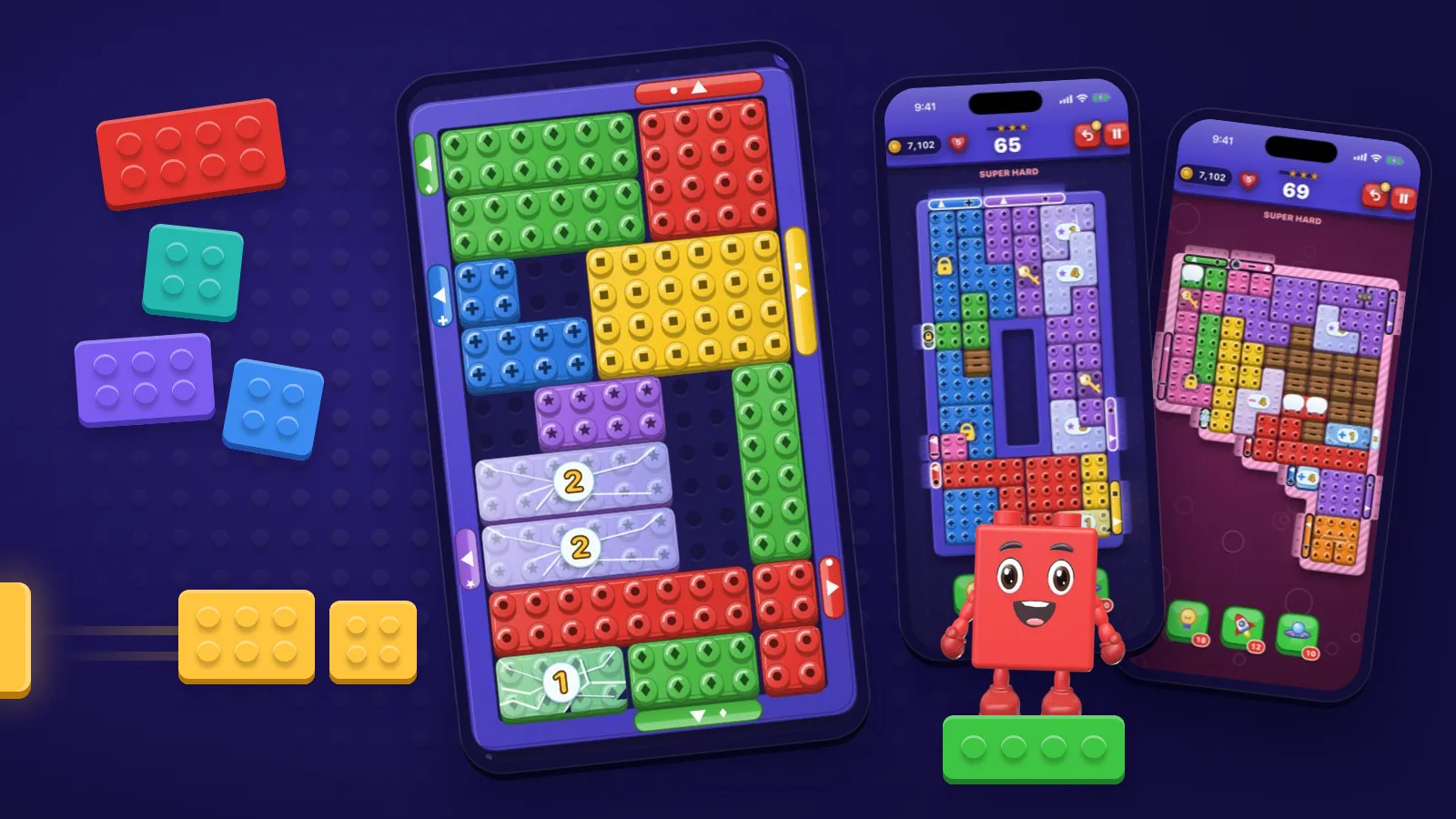
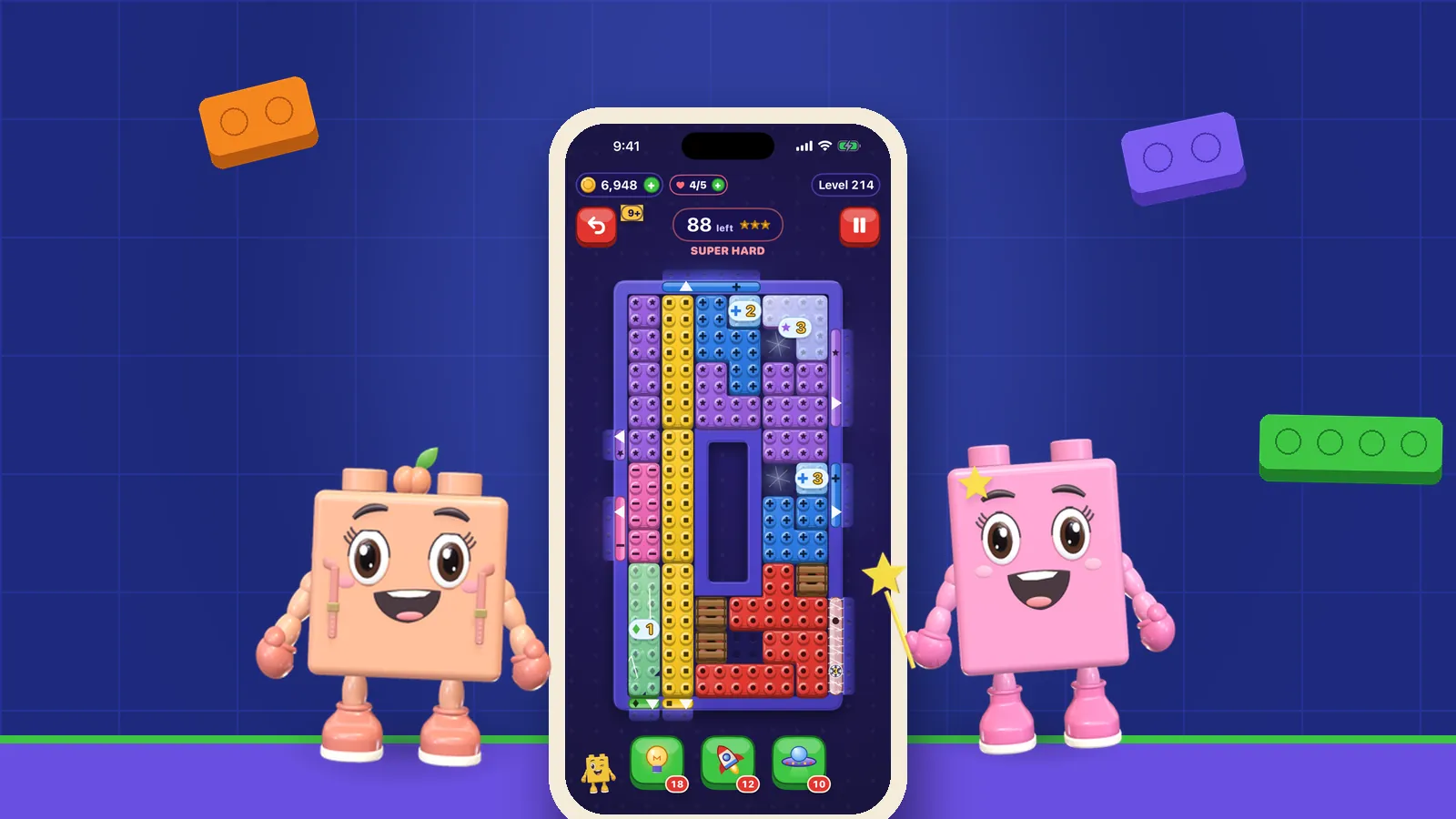
The core rule is simple to say: slide a brick, let it glide until something stops it, and send it out through the gate of its own colour. The planning comes from how the pieces obstruct or help one another. Matching red with red is only part of the task. You may need to reposition another brick so that red stops in the right row before turning towards its exit.
If you already understand that rule, use the daily board for a shared arrangement. Everyone viewing the page on the same UTC date gets the same selected board. That gives you a specific puzzle to discuss with a friend, rather than asking whether you both happened to open a similar level. There is no need to turn the shared board into a speed contest.
Andersen et al. (2012) studied tutorial designs across three games with more than 45,000 players. Tutorial effects varied with the game and its complexity, rather than showing that one teaching format always helps. They did not test this website. For your trial, the useful question is whether the introductory board makes the movement rule clear enough to judge. Finishing the entire tour is optional; deciding that another mechanic suits you better is also a successful trial.
Sources1Andersen, E., O’Rourke, E., Liu, Y.-E., Snider, R., Lowdermilk, J., Truong, D., Cooper, S., & Popović, Z. (2012). The impact of tutorials on games of varying complexity. In Proceedings of the SIGCHI Conference on Human Factors in Computing Systems (pp. 59–68). Association for Computing Machinery.
On a touchscreen or with a pointer, drag a brick in the direction you want it to travel. Dragging sets the direction; it does not promise to stop the piece wherever your finger ends. With a keyboard, Tab to a brick, then use Shift plus an arrow key to move it. Watch where the brick actually comes to rest before deciding the next direction.
Begin with a prediction you can check: “The yellow brick should stop beside that blue one.” Make the move, then compare the result. If the move is blocked, inspect the board rather than repeatedly issuing the same input. The relevant obstacle may be a neighbouring brick, the board edge or a gate that is not the right colour. A refused move and a move you did not expect are different observations.
Cao and Liu (2022) reviewed in-game tutorials and conducted a pilot study of implicit tutorial design. Their work treats guidance as something shaped by how players encounter a game, rather than proving that an unexplained interface is better. It did not evaluate our browser controls. Here, a deliberate first move lets you check what the instructions mean. If you cannot select the intended piece comfortably, solve that input problem before using the attempt as evidence that the puzzle is too difficult.
The board pairs colours with glyphs on bricks and gates, giving matching information beyond hue alone. Still, judge readability at your usual screen size and distance. If the board is hard to use, our accessibility information gives context about the product, and support offers a route to describe the difficulty. Include your browser, device and the action you tried; a specific report is easier to investigate than “the game does not work”.
Sources2Cao, S., & Liu, F. (2022). Learning to play: Understanding in-game tutorials with a pilot study on implicit tutorials. Heliyon, 8(11), Article e11482.
The web board records moves and provides Undo and Reset controls. Its target is a scoring threshold rather than a countdown. A clear earns one star; finishing within the move target earns two; doing that without an undo earns three. Going beyond the target does not stop you from completing the browser board. Undo changes the star outcome, so distinguish exploring a solution from completing a clean attempt.
A sensible first goal is simply to clear the board. Once you understand a route, reset and ask whether an early detour was necessary. This separates discovery from refinement. It also keeps a three-star result from becoming a reason to abandon a board whose basic dependencies you have not yet understood. There is no clock demanding that you turn recognition into immediate action.
Kirsh and Maglio (1994), working with Tetris, distinguished moves that advance a task from moves that help uncover information. The study does not establish a measured benefit from this browser game. Its distinction gives your first attempt a useful purpose: testing where a brick will stop can teach you about the arrangement, even before you have a complete route. Resetting then lets you try the plan you understood from that exploration.
Our guide to reading a puzzle before moving helps you identify those dependencies. If avoiding time pressure is the reason you are browsing, the no-timer puzzle guide explains the wider distinction between untimed play and unrestricted play. A web board’s forgiving restart should not be used to infer the full app’s lives, undo costs or move-limit rules.
Sources3Kirsh, D., & Maglio, P. (1994). On distinguishing epistemic from pragmatic action. Cognitive Science, 18(4), 513–549.
The daily page selects from a fixed pool of website boards. It advances by the UTC date and cycles through that pool in order; the tutorial board is excluded. The pool contains sixteen boards at the time of writing. Once the rotation reaches the end, it returns to the beginning. “Daily” therefore means a date-selected shared puzzle, not a fresh layout generated every morning and not an expanding archive promised indefinitely.
Midnight UTC may be afternoon or evening where you live. Two people who open the page on different local calendar days can still have the same UTC date, while two people using the same local date near that boundary may see different selections. Use the date and board number shown on the page when discussing a solution. A local midnight is not the changeover rule.
After a clear, the page’s share control offers a result link with your stars. Sharing a result does not share your complete sequence of moves. If you want your friend to enjoy solving independently, send the result first and wait before describing the opening. A shared board is an invitation to compare approaches; it is not a built-in simultaneous multiplayer session.
Larkin and Simon (1987) analysed how diagrams organise information by location, contrasting them with sequential text through models and illustrative problems. They did not study daily games. The practical application here is to use the shared layout as your reference: point to the gate or blocker you mean before describing a move. A board number establishes which puzzle you are discussing; the visible arrangement helps establish which decision within it you mean.
Sources4Larkin, J. H., & Simon, H. A. (1987). Why a diagram is (sometimes) worth ten thousand words. Cognitive Science, 11(1), 65–100.
No download means you do not install the OutBrick app to use these web boards. The page still needs to load through your browser. Do not assume the website has the app’s offline capability or that an unfinished attempt will survive closing or reloading the page. The playable board does not provide saved progress or an account-based connection to your app journey.
That boundary matters if you start on a laptop and then install the game on your phone. A browser clear does not unlock the corresponding app chapter, transfer your star result into app progress or establish that the two experiences contain identical boards. The website is a small introduction, with its own board pool and scoring behaviour. The App Store game is a separate product with a broader progression structure.
The app also has a commercial model: lives, optional purchases and opt-in rewarded adverts. Read the fair-play details and current store listing before deciding what “free” means for your own use. The browser’s restart and undo behaviour does not replace those disclosures. Likewise, use the current listing for device requirements rather than assuming that successful browser play proves native-app compatibility.
If the trial leaves you curious, find OutBrick on the App Store. If you simply want one browser board, keep using the daily page. Either choice can follow from the same useful test: you now know what a sliding brick does, whether the controls are comfortable and whether the route-planning question interests you. A small playable example has done its job when it helps you make that decision.
Filed under
Questions, answered
A few useful answers
Can I play an OutBrick block puzzle without downloading the app?
Yes. The play guide includes a short browser-board tour, and the daily page offers the board selected for the current UTC date.
Is the daily puzzle generated from scratch every day?
No. OutBrick’s website rotates through a fixed pool of boards according to the UTC date, excluding the tutorial. The rotation can therefore revisit an earlier layout.
Will browser progress sync to the OutBrick app?
The browser boards do not provide saved progress or progress syncing with the app. Treat them as a separate introduction rather than a continuation of your app journey.
How do I move a brick using a keyboard?
Tab to a brick, then press Shift plus an arrow key in the direction you want it to slide. The brick continues until something stops it rather than moving to an arbitrary chosen square.
APA 7
References
Where a source is a studio’s own history or a news account rather than a study, the article says so beside the claim.
- Andersen, E., O’Rourke, E., Liu, Y.-E., Snider, R., Lowdermilk, J., Truong, D., Cooper, S., & Popović, Z. (2012). The impact of tutorials on games of varying complexity. In Proceedings of the SIGCHI Conference on Human Factors in Computing Systems (pp. 59–68). Association for Computing Machinery. doi.org/10.1145/2207676.2207687 (opens in a new tab)
- Cao, S., & Liu, F. (2022). Learning to play: Understanding in-game tutorials with a pilot study on implicit tutorials. Heliyon, 8(11), Article e11482. doi.org/10.1016/j.heliyon.2022.e11482 (opens in a new tab)
- Kirsh, D., & Maglio, P. (1994). On distinguishing epistemic from pragmatic action. Cognitive Science, 18(4), 513–549. doi.org/10.1207/s15516709cog1804_1 (opens in a new tab)
- Larkin, J. H., & Simon, H. A. (1987). Why a diagram is (sometimes) worth ten thousand words. Cognitive Science, 11(1), 65–100. doi.org/10.1111/j.1551-6708.1987.tb00863.x (opens in a new tab)