




What is true about OutBrick
OutBrick is a calm slide-and-match puzzle, rated 4+ on the App Store. Players move toy bricks into gates of their own colour, or swap neighbours to make lines, and each board gives a number of moves to do it in. Before you reach for any setting, here is what the game does and does not do.
- There is no clock anywhere. No board, menu or event is timed. The number of moves is the only limit, so nobody is ever hurried.
- No chat, no strangers. There is no chat, no messaging between players and nothing written by other players inside the game. Other players can only ever see a player name and level (more on that below).
- No adverts unless your child taps to watch one. There are no banners and no adverts between boards. A video only plays when a player presses a button to watch one for a reward, each kind is capped every day (39 in total), and a video can always be declined at no cost.
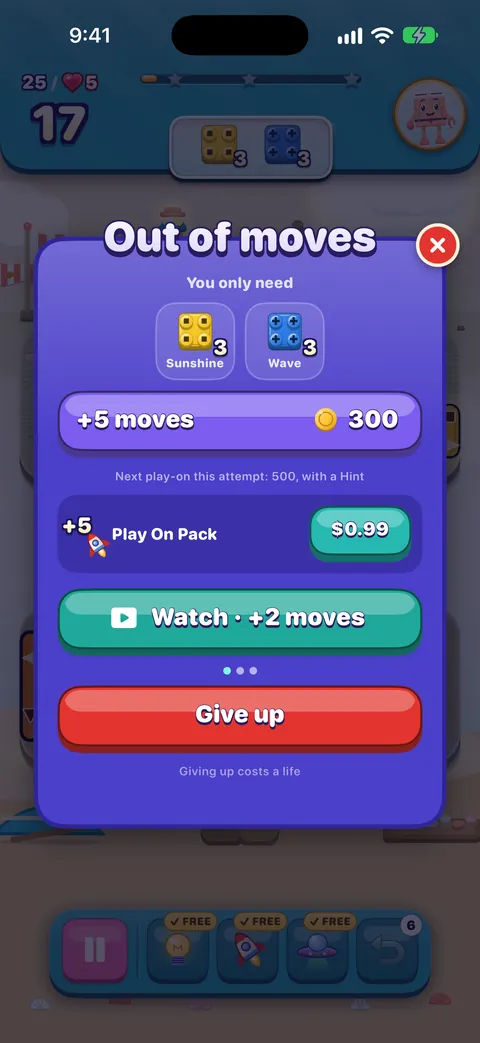
- Lives are used by losing, not by playing. Opening a board needs a life but does not use one. A life is used when an attempt is lost: giving up when the moves run out, or restarting or leaving after making a move, and the game says so before it happens. Winning never costs a life, and lives come back on their own, one every 30 minutes.
- No account to create. Progress is saved on the device and in your family’s own iCloud. OutBrick has no analytics, and the developer does not receive gameplay data.
- Nothing is a subscription. Every purchase is a one-time purchase through Apple, nothing renews by itself, and nothing paid is offered on a board before level 6.
Free to play, and it stays that way
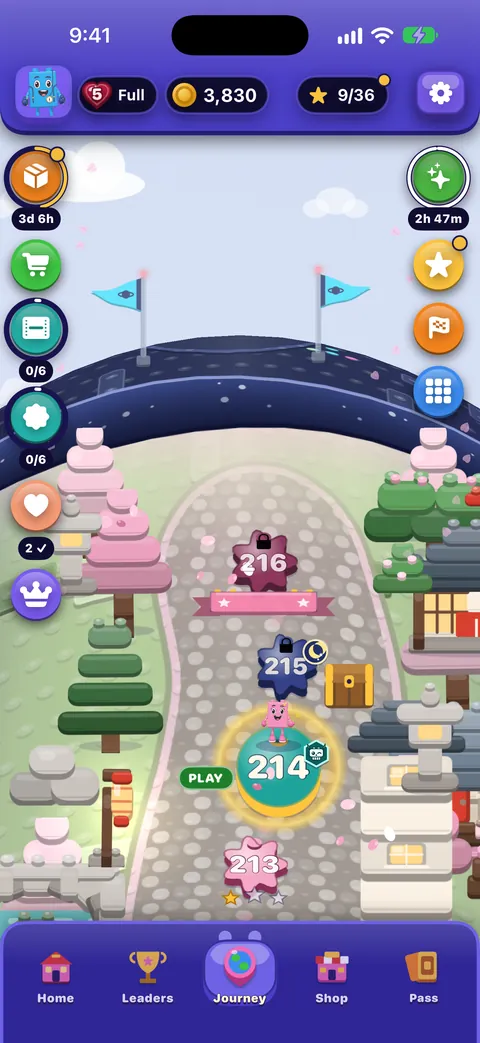
Every one of the 2,000 levels can be played without paying or watching anything. Lives refill by themselves, every attempt comes with a free Hint, Rocket and UFO, and the first undo on every board is free. See How rewards, lives and ads work for every number.
Purchases: Ask to Buy, restrictions and refunds
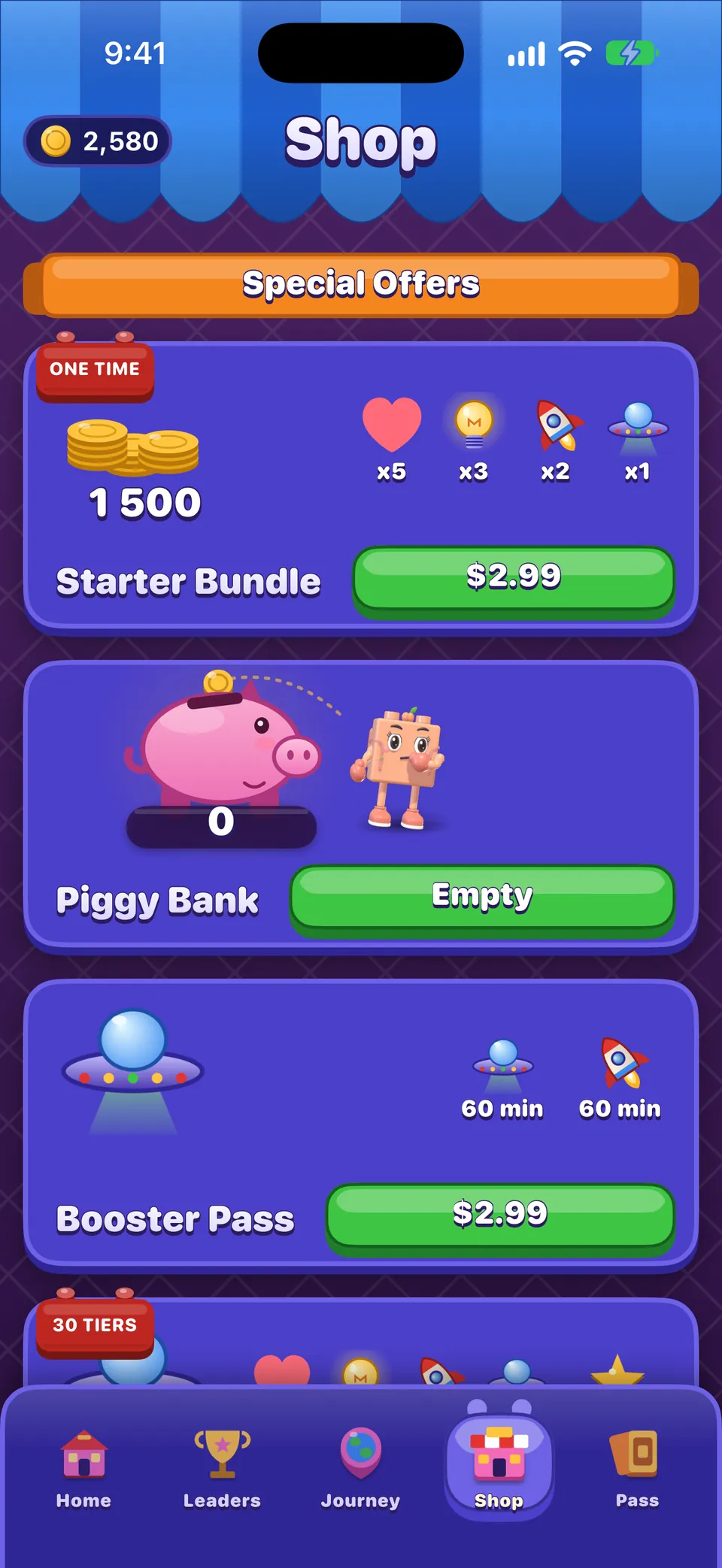
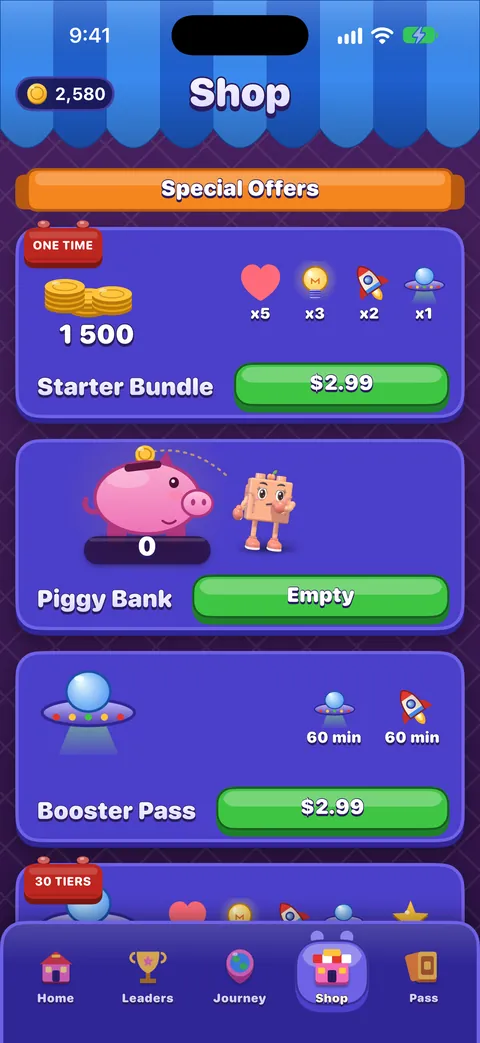
Real-money items appear in the Shop and on a few cards in the game, always with a price in your own currency, and always through Apple’s own purchase sheet. Two Apple controls decide whether that sheet can complete.
Ask to Buy (Family Sharing)
If your child has their own Apple Account in your Family Sharing group, Ask to Buy sends every purchase request, including purchases inside games, to you to approve or decline.
- On your own iPhone, open Settings › Family.
- Tap your child’s name.
- Tap Ask to Buy and turn it on.
Turn off in-app purchases altogether
- On your child’s device, open Settings › Screen Time. (For a child in Family Sharing you can do this from your own iPhone: Settings › Screen Time, then your child’s name.)
- Tap Content & Privacy Restrictions and turn it on.
- Tap iTunes & App Store Purchases.
- Set In-app Purchases to Don’t Allow. While you are there, set Require Password to Always Require.
- Set a Screen Time passcode that your child does not know, so these choices stay as you left them.
เคล็ดลับ
Apple occasionally renames rows between iOS versions. If a name on your device differs slightly from the one here, look for the closest match under Content & Privacy Restrictions.
With in-app purchases off, OutBrick still plays every board: coins earned in play still buy boosters, refills and extra moves, and optional videos still work.
If something was bought by mistake
Apple takes every payment, so only Apple can refund one. Go to reportaproblem.apple.com, sign in with the Apple Account used for the purchase, choose Request a refund, and pick the OutBrick item. Apple decides, under its rules and your local consumer law. We cannot see your payment details or issue an App Store refund ourselves. More on our refunds page and in Lost progress or a missing purchase.
Time limits, Downtime and reminders
Because no board is timed, OutBrick is easy to put down: nothing is lost by stopping between boards, and lives keep refilling while the game is closed. If you would like a firmer edge to play time, Apple’s Screen Time does it well.
- App Limits
- Settings › Screen Time › App Limits › Add Limit. Choose the Games category, or OutBrick on its own, and a daily amount. When the time is up, iOS covers the game.
- Downtime
- Settings › Screen Time › Downtime. A scheduled quiet time, such as bedtime, when only the apps you allow can open.
- OutBrick reminders
- In the game, Settings › Game › Notifications turns them all off. On the iPhone, Settings › Notifications › OutBrick controls them and the icon badge.
- OutBrick never asks for notification permission when it first opens. After the third clear it asks whether Bloo may keep your place, and Not now waits a week.
- When reminders are allowed, the game sends at most one notification every 20 hours, and never between 22:00 and 09:00.
- The icon badge counts rewards waiting to be collected, up to nine. It is only shown if notifications are allowed, and opening the game clears it.
- A Focus filter can turn off the music, pause reminders and hide the badge while a Focus such as Sleep is on. See Playing calmly.
เคล็ดลับ
The kindest stopping point is between boards, on Home or the map. Leaving a board before the first move is always free; after a move, the Leave? card says a life will be used before anything happens.
What the game and this website keep
This is a summary of our privacy policy, which has the full detail.
ในเกม
- No accounts and no analytics. The developer does not receive gameplay data.
- Progress is stored on the device and synced through your own iCloud, which the developer cannot read.
- Purchases are processed by Apple. OutBrick never sees or stores card details.
- Game Center is optional and run by Apple, under your Game Center settings.
- Adverts: the only third party in the game is Google’s advertising service, and it runs only when a player chooses to watch a video. Video adverts are limited to Google’s general-audience content rating. If iOS asks whether OutBrick may track, Ask App Not to Track leaves the game unchanged. In the EU, the UK and Switzerland, a consent form appears before the first video, and Settings › Game › Advertising choices reopens it.
- Remove Ads, or holding the current season’s Brick Pass, stops the game asking for adverts at all, and the rewards still pay.
- Delete My Data, at the foot of Settings › Game, resets the device’s progress and asks iCloud to delete the save. See Progress, iCloud and privacy.
On this website
- Reading the website needs no account. Visits are measured with Google Analytics only if you accept it in the cookie banner; until then nothing loads from Google.
- The contact form keeps what you send so we can answer it. A support case is kept for 24 months after it is closed, then deleted.
- A community account keeps a public display name and a private email address, which is never shown to anyone.
- You can ask for a copy of what we hold, or for it to be deleted, through the contact form with the topic set to Privacy.
สำคัญ
Please leave your child’s personal details out of support messages. A level number and the device are all we need.
Other players and the community
- Leaders tab
- Unlocks at level 21. It shows player names and levels, with an optional flag. Turn off Settings › Game › Show me on the standings board to be removed, and hide the flag in the Profile.
- Races
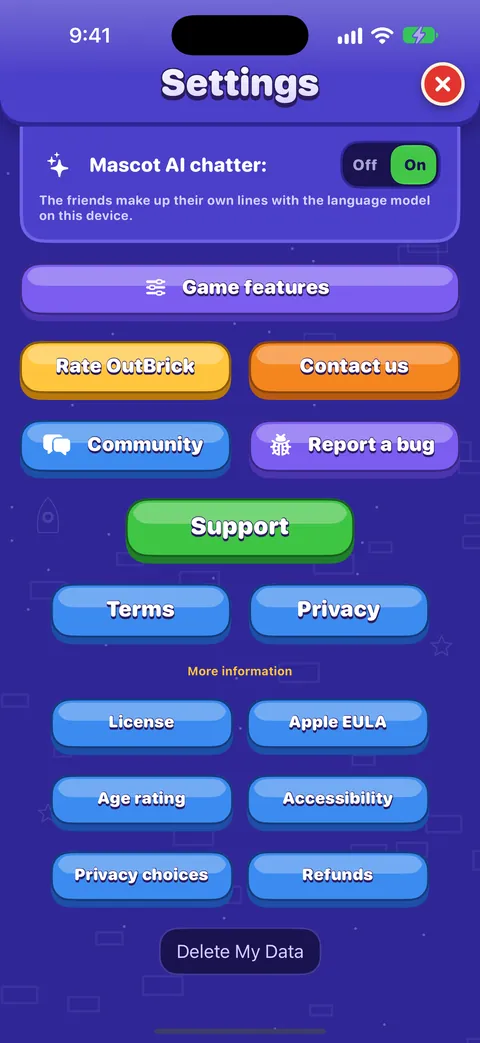
- Village Race and Brick Royale share the player name with the other players in that race, and only when your child joins one. Each can be switched off in Settings › Game › Game features, along with Friend Rescue, Crew Race and offers on the map.
- Player name
- Set in the Profile (tap the avatar). A made-up name is a good idea.
- Game Center
- Apple’s service for achievements, leaderboards and friends. Its friend and multiplayer settings sit in Screen Time › Content & Privacy Restrictions, in the Game Center section.
- ข้อความ
- OutBrick has a Messages app for sending a level challenge or a sticker to someone your child already messages. Screen Time’s Communication Limits apply to it as to any conversation.
ชุมชน OutBrick
- The community is a forum on this website, separate from the game. Anyone can read it; posting needs an account, and accounts are for people aged 16 and over.
- Its links in Settings open in Safari, outside the game, for exactly that reason. Screen Time’s web content limits apply to it like any website.
- A member’s email address is never shown to anyone. Every post is public and moderated, and anything that breaks the guidelines can be reported.
- If you think a child has made an account, tell us through the contact form and we will delete it.
A checklist to work through
Ten minutes with your child’s device and your own covers everything. Print this page, or tick the boxes in your head.
| Done | Check | Where |
|---|---|---|
| ☐ | Ask to Buy is on | Your iPhone: Settings › Family › your child › Ask to Buy |
| ☐ | In-app purchases off, or a password always required | Settings › Screen Time › Content & Privacy Restrictions › iTunes & App Store Purchases |
| ☐ | A Screen Time passcode is set | Settings › Screen Time |
| ☐ | A daily limit for games, if you want one | Settings › Screen Time › App Limits |
| ☐ | Downtime for bedtime | Settings › Screen Time › Downtime |
| ☐ | Reminders and badge as you like them | OutBrick Settings › Game › Notifications, or Settings › Notifications › OutBrick |
| ☐ | A made-up player name | OutBrick: tap the avatar to open the Profile |
| ☐ | Shown on the Leaders tab or not | OutBrick Settings › Game › Show me on the standings board |
| ☐ | Races and offers on the map, or not | OutBrick Settings › Game › Game features |
| ☐ | Tracking answer | Settings › Privacy & Security › Tracking |
| ☐ | Signed in to iCloud, so progress is safe | Settings › your name › iCloud |
For young players
This part is written for your child. Read it together if that helps.
- Take your time. There is no clock. Think as long as you like before every move.
- Losing is all right. If you run out of moves, you can try again. A heart goes when you lose, and hearts come back by themselves.
- Videos are your choice. A video only plays if you tap a button to watch one. You can always say no.
- Ask before buying. If a button shows a price in pounds, dollars, euros or any other money, it costs real money. Ask a grown-up first.
- Keep your name secret. Pick a made-up player name, not your real one.
- Take breaks. The game waits for you. The friends will still be there when you come back.
- Something feels wrong? Stop and tell a grown-up.
Stuck?
Tap the Hint in the tray at the bottom. You get one free on every try.
Questions parents ask
Can my child talk to strangers in OutBrick?
No. The game has no chat and no messaging between players. Other players can see a player name and level on the Leaders tab, and in a race your child chooses to join. Both can be switched off in Settings › Game.
Will my child see adverts they did not choose?
No. There are no banners and no adverts between boards. A video plays only after a player taps a button to watch one for a reward, and each kind has a daily limit. Remove Ads turns them off for good, and the rewards still pay.
Can my child spend money by accident?
Every real-money purchase goes through Apple’s purchase sheet, which needs Face ID, Touch ID or the Apple Account password. With Ask to Buy on, or in-app purchases set to Don’t Allow, nothing can be bought without you.
Is there a subscription?
No. Every pass and timed item is a one-time purchase, and nothing renews by itself.
Does OutBrick need an account or an email address?
No. Progress is kept on the device and in your own iCloud. The community on this website needs an account, but it is for people aged 16 and over and is not part of the game.
Does the game work without the internet?
Yes, the boards play offline. Videos, Game Center and syncing need a connection, so videos are simply not available while offline.
Who do I ask about a refund?
Apple, at reportaproblem.apple.com. We cannot see payments or refund them. If something bought did not arrive, try Restore Purchase at the foot of the Shop first, then write to us.
คู่มือนี้มีประโยชน์ไหม?
Keep reading
Playing calmly
The settings that make OutBrick quieter and gentler, why there is never a clock, how to step away without losing anything, and a few habits for unhurried play.How rewards, lives and ads work, in plain words
Every number behind lives, undos, running out of moves and the eight optional videos, what Remove Ads and the Brick Pass change, what coins buy, and what OutBrick never sells.The Shop, purchases and restoring
What is on each shelf of the Shop, what Remove Ads and the Brick Pass do, how to restore purchases on a new device, and how refunds work.Progress, iCloud, new devices and privacy
How your progress is saved and synced through iCloud, moving to a new iPhone, what is shared and with whom, advertising and tracking choices, and how to delete your data.Every setting explained
Each switch and button on the Game and Accessibility tabs of Settings, what it does, what it starts as, and where the support, community and privacy links lead.Using the OutBrick Community
Signing in, choosing the right category, starting a thread, formatting, marking a solution, following threads and email, translations, voting on ideas, and keeping your details private.
ทีมงานอ่านทุกข้อความ เราตั้งใจตอบภายใน 2 วันทำการ
ยังติดอยู่ใช่ไหม?
ยังติดอยู่ใช่ไหม?
ถามในชุมชน ทีมงานและผู้เล่นคนอื่นตอบอย่างเปิดเผย และอีเมลของคุณจะไม่แสดงให้ใครเห็น
ถามชุมชนอยากเขียนแบบส่วนตัวใช่ไหม?
ฟอร์มติดต่อส่งถึงทีมงานเดียวกันแบบส่วนตัว ใช้สำหรับการซื้อและเรื่องส่วนตัว
ติดต่อซัพพอร์ต