




There is never a clock
No board in OutBrick is timed, and nothing counts down while you think. Each board gives you a number of moves, and that is the only limit. A move only counts when it does something: a swap that makes no match springs back without using one, and a drag of less than half a cell springs back too.
- You can stare at a board for as long as you like. Put the phone down, come back, carry on.
- If no move is possible, the board reshuffles for free. You can never be truly stuck.
- Every attempt comes with a free Hint, Rocket and UFO, and the first Undo on each board is free.
Dobré vedieť
Events and seasons do run on a calendar, and some show a countdown to when they end. None of them puts a clock on a board.
A gentler screen
- Obmedzenie pohybu
- In the iPhone Settings › Accessibility › Motion. Idle movement on the board stops, glows hold still, hints shimmer in place, screens cross-fade instead of sliding, and every win celebration turns to a soft glow.
- Dim Flashing Lights
- Also under Motion. Full-screen flashes from big combos drop to a third of their strength and never come closer together than about a third of a second.
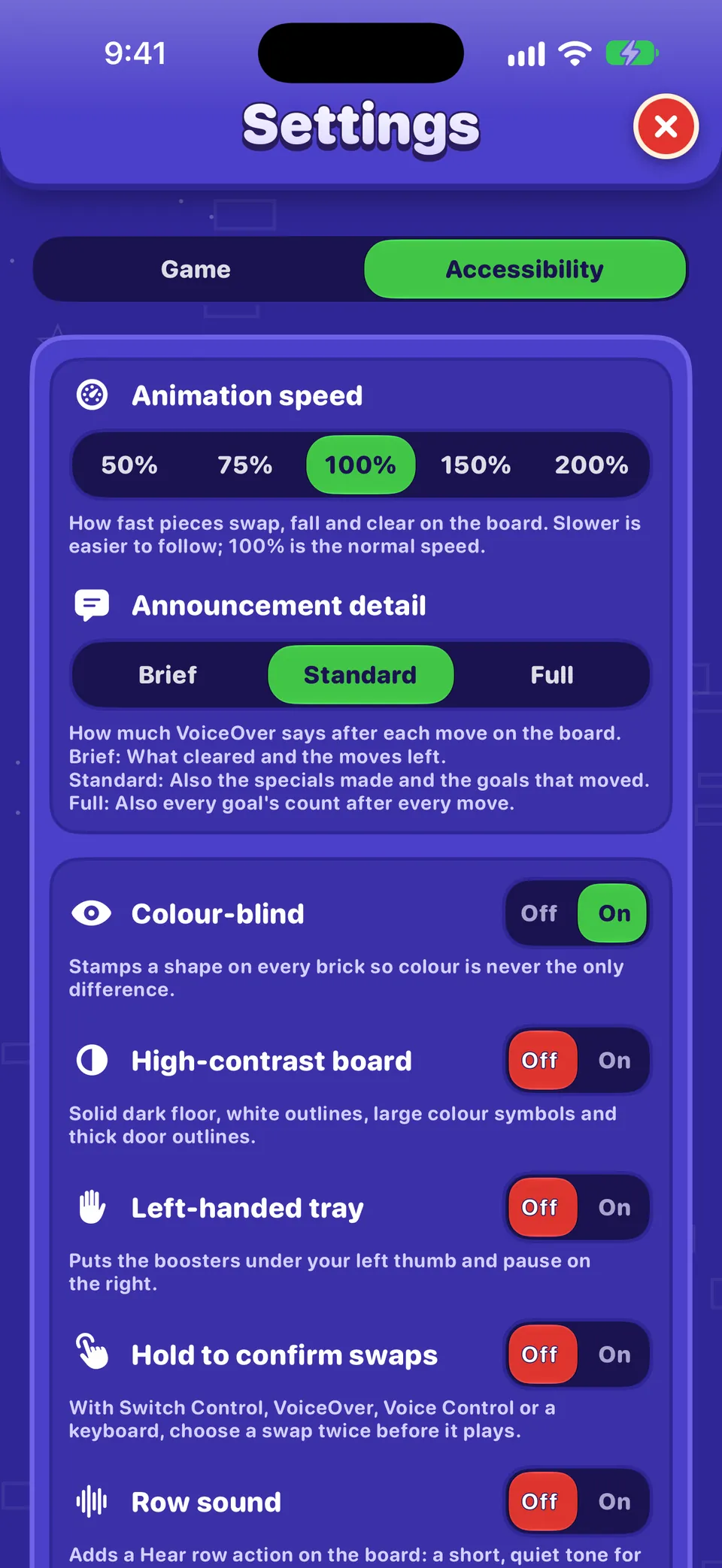
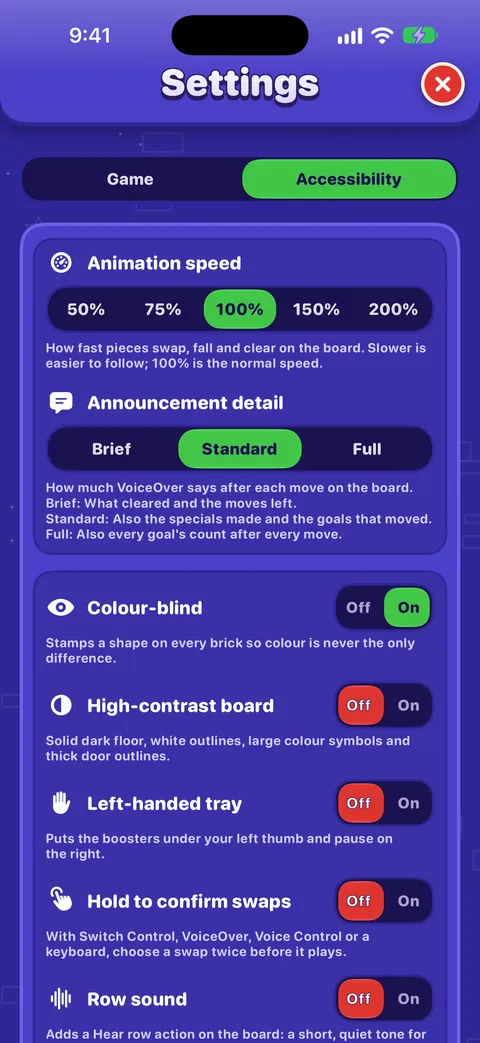
- Animation speed
- In OutBrick Settings › Accessibility: 50%, 75%, 100%, 150% or 200%. At 75% or 50%, swaps, falls and clears play more slowly and are easier to follow.
- Calm Glow and Calm Outline
- Two free pieces in the Wardrobe: Calm Glow under Celebrations (a soft glow, nothing flying) and Calm Outline under Swap trails (a still outline where a brick was). Tap Wear it.
More in Vision, hearing and motion.
Sound, music and haptics
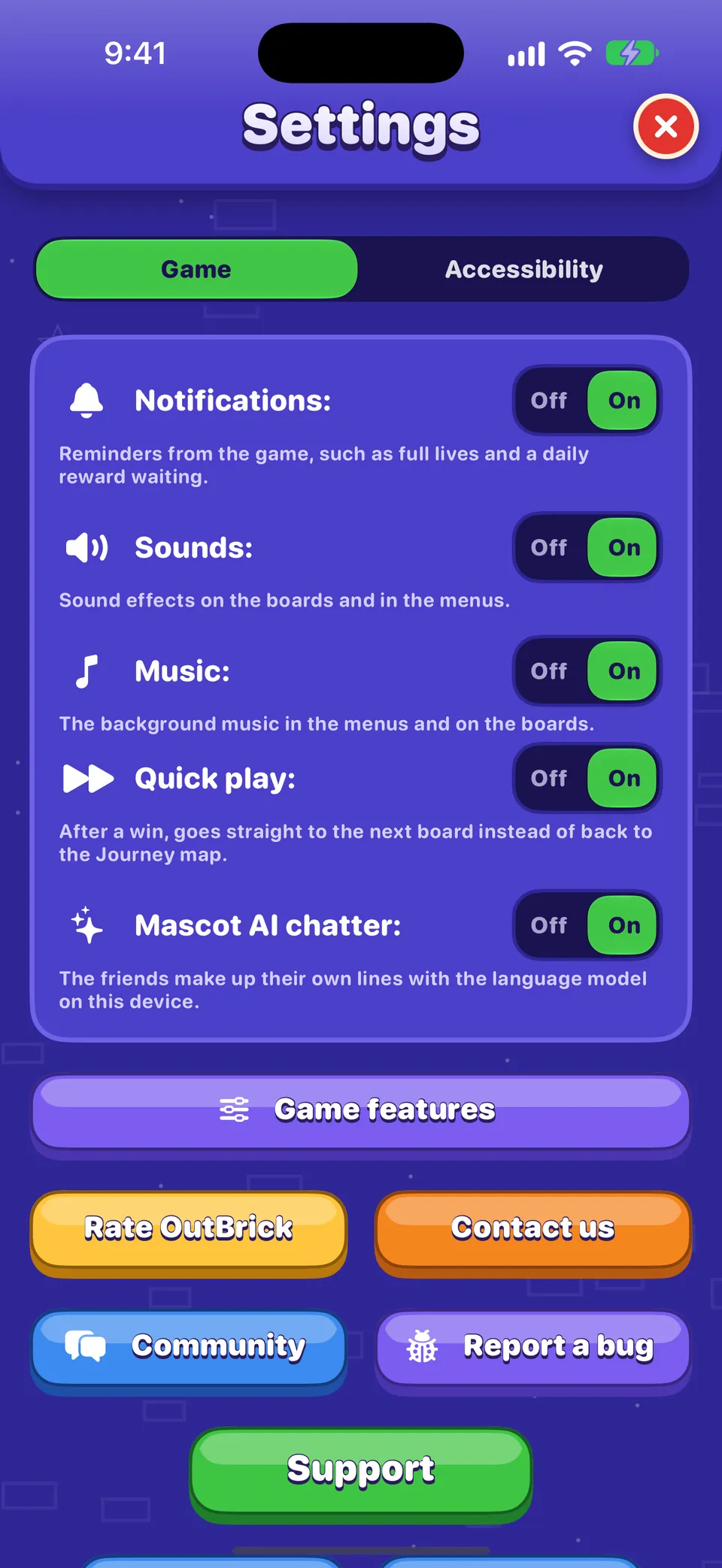
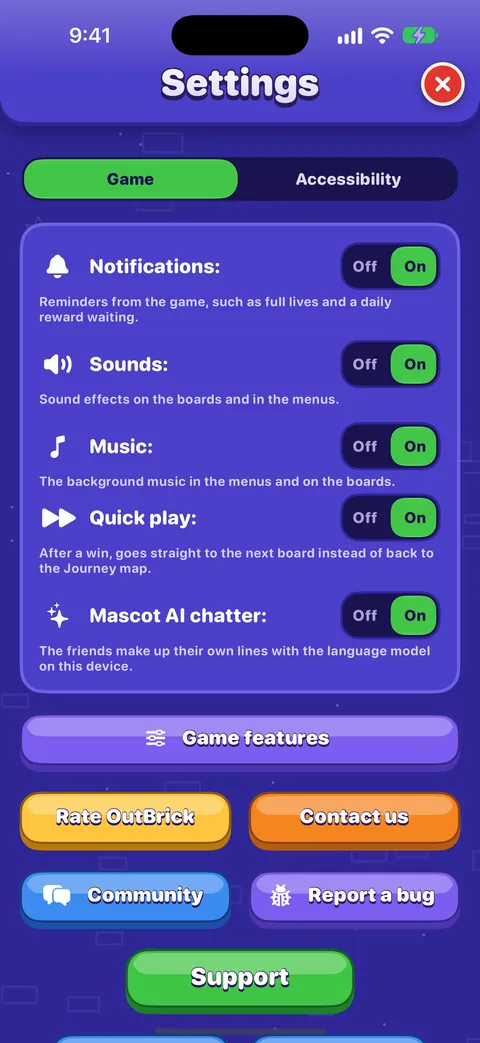
- Sounds, Music and Haptics each have their own switch in Settings › Game, and the same three are in the Pause menu, so you can change them in the middle of a board.
- Haptics are the small taps you feel as pieces move and land. The switch only appears on devices that can vibrate.
- The friends talk in text bubbles, never aloud, and nothing in the game depends on hearing. Playing in silence loses nothing.
- The Ring/Silent switch and the volume buttons work as usual.
Tip
Like the music but not the effects? Turn off Sounds and leave Music on, or the other way round.
A quieter game
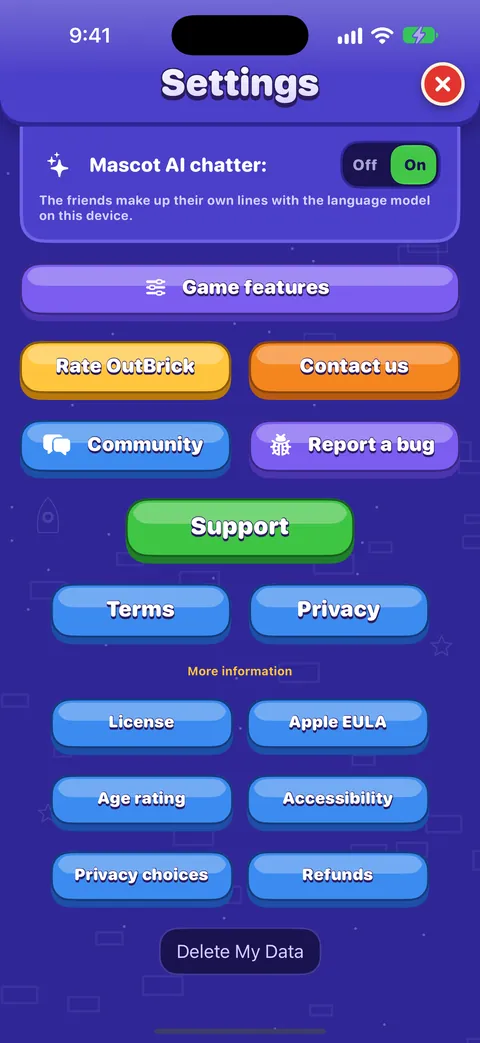
- Game features
- Settings › Game › Game features switches off Friend Rescue, Village Race, Brick Royale, Crew Race and Offers on the map. Nothing you have earned is lost.
- Quick play
- On from the start: a win goes straight to the next board. Turn it off in Settings › Game and a win takes you back to the Journey map instead, a natural place to pause.
- Show me on the standings board
- Turn it off if you would rather not appear on the Leaders tab.
- Mascot AI chatter
- Where Apple’s on-device model is available, the friends make up their own lines. Turn it off for their usual ones.
Notifications, the icon badge and Focus filters
- OutBrick sends at most one notification every 20 hours, and never between 22:00 and 09:00. Each offers Play, Later (three hours) or Tomorrow.
- Turn them all off with Settings › Game › Notifications in the game, or choose their style in the iPhone Settings › Notifications › OutBrick.
- The icon badge counts rewards waiting for you, up to nine. Opening the game clears it without claiming anything. To hide it for good, turn off Badges in Settings › Notifications › OutBrick.
A Focus filter for OutBrick
- In the iPhone Settings › Focus, choose a Focus, such as Sleep or Personal.
- Tap Add Filter, then OutBrick.
- Choose what OutBrick does while that Focus is on: turn the music off (or music and sounds), pause reminders, and hide the icon badge.
Dobré vedieť
A Focus filter never changes your own settings. While one is at work, a line under Music in Settings says so.
Stepping away without losing anything
- Between boards is the perfect place to stop. On Home or the map, nothing is in progress.
- In the middle of a board, tap Pause. Resume brings you straight back.
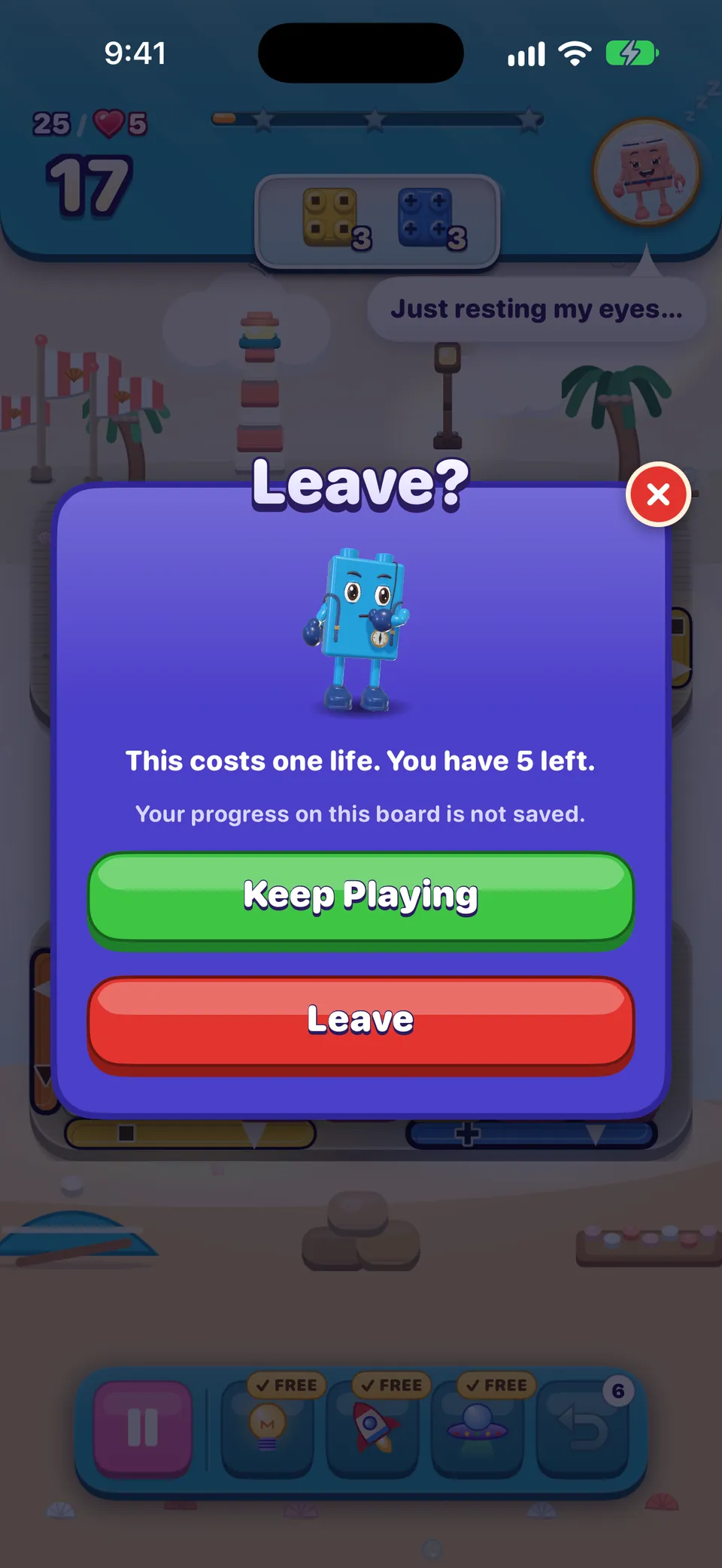
- Leaving before your first move is always free. After a move, the Leave? card tells you a life will be used before you choose.
- Lives refill on their own, one every 30 minutes, even while the game is closed. Tap the heart on the Journey to see when the next one comes.
- Your day streak can wait. A streak of three days or more can be restored within a week of a missed day, free with a streak saver or for 250 coins.
- Your progress is safe. It is saved as you go, on the device and in iCloud.
A helping hand
Struggling with one board? From your sixth attempt at it, the game gives you 3 extra moves before you start, once a day per board. Sometimes the calmest move is to come back tomorrow.
Habits for unhurried play
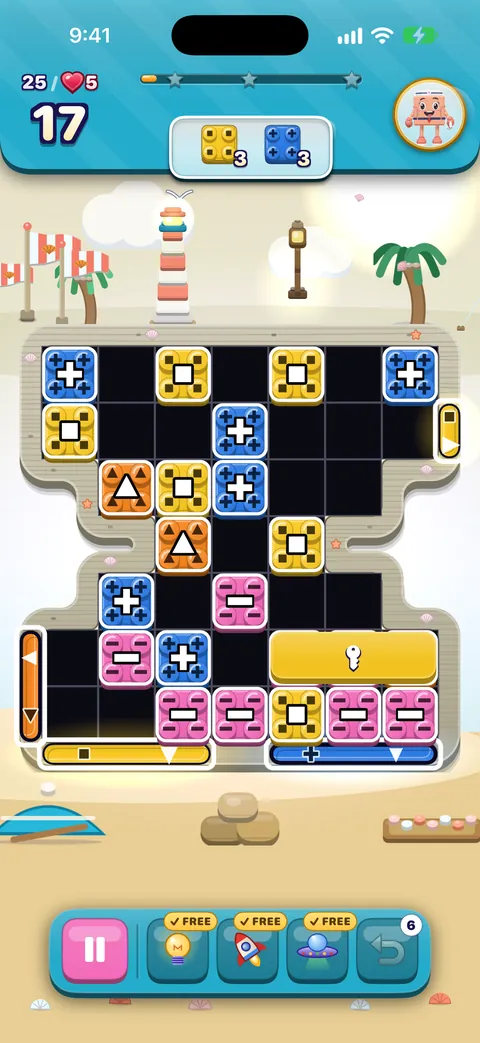
- Look before you move. Find the gates and the goals first. The order panel at the top tells you what the board wants.
- Use the free Hint. It is there on every attempt and cannot be saved, so using it costs nothing.
- Undo freely, once. The first undo on every board is free.
- Replay a cleared board from the map when you want something familiar. Replaying never moves your place on the Journey.
- Choose a stopping point before you start, such as the end of a village, and let the village celebration be your cue.
- If a board frustrates you, leave it for today. Lives refill, the helping hand arrives, and boards often look different after a rest.
Otázky
Is there a timer I can switch off?
There is nothing to switch off: no board in OutBrick has a timer. Moves are the only limit.
How do I make the animations slower?
Set Animation speed to 75% or 50% in Settings › Accessibility. For less movement everywhere, turn on Reduce Motion in the iPhone Settings.
Can I stop the confetti when I win?
Yes. Wear the free Calm Glow celebration in the Wardrobe, or turn on Reduce Motion, which makes every celebration calm.
How do I stop the badge on the icon?
Turn off Badges in the iPhone Settings › Notifications › OutBrick, or use a Focus filter to hide it only while a Focus is on.
Do I lose a life if I put the game down mid-board?
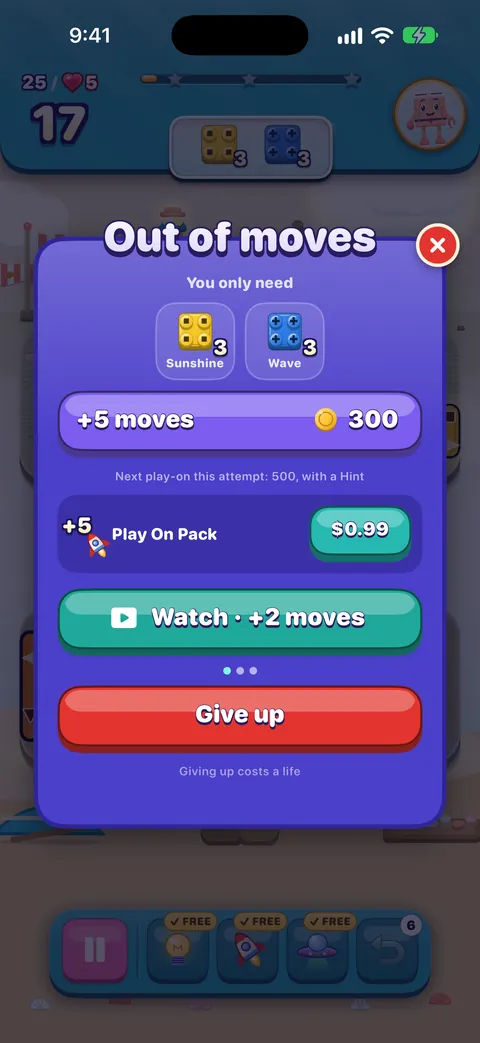
Not for pausing. A life is used only when an attempt is lost: giving up when the moves run out, or restarting or leaving after a move. Pause and come back whenever you like.
Pomohol ti tento návod?
Keep reading
Accessibility in OutBrick: start here
Every way OutBrick adapts to you, from VoiceOver and Switch Control to colour-blind symbols, a high-contrast board, slower animation and no timers, with a starting point for your needs.Vision, hearing and motion
Colour-blind symbols and what each shape means, the high-contrast board, larger text, Reduce Motion, flashing lights, sound, haptics and Row sound.Every setting explained
Each switch and button on the Game and Accessibility tabs of Settings, what it does, what it starts as, and where the support, community and privacy links lead.Lives, running out of moves, and undos
When a life is used and when it is not, how lives come back, what the out-of-moves screen offers, the helping hand, the free daily try, and optional videos.A guide for parents and carers
What OutBrick is and is not, the Apple controls that put you in charge of purchases, time and notifications, how refunds work, what data the game and this website keep, and a checklist to work through.Widgets, Siri, Shortcuts and other Apple features
Home Screen and Lock Screen widgets, Control Center, Live Activities, Siri phrases, Spotlight, Handoff, Messages challenges, notifications and the icon badge, Focus filters and Game Center.
Každú správu číta človek z tímu. Snažíme sa odpovedať do dvoch pracovných dní.
Stále si zaseknutý (zaseknutá)?
Stále si zaseknutý (zaseknutá)?
Opýtaj sa komunity. Tím aj ostatní hráči odpovedajú verejne a tvoja e-mailová adresa sa nikdy nezobrazí.
Opýtaj sa komunityNašiel (našla) si chybu?
Dobré hlásenie sa opraví rýchlejšie. Formulár na chyby sa pýta presne na to, čo potrebujeme.
Nahlásiť chybuRadšej napíšeš súkromne?
Kontaktný formulár sa dostane k tomu istému tímu, súkromne. Použi ho pri nákupoch a všetkom osobnom.
Kontaktovať podporu