




Playing
Is OutBrick timed?
No. There is no clock anywhere in OutBrick: not on a board, not in a menu, not in an event. Each board gives you a number of moves, and that is the only limit. Take as long as you like over every move.
A swap that makes no line springs back and does not use a move. See No clocks, no rush.
How do I play a board?
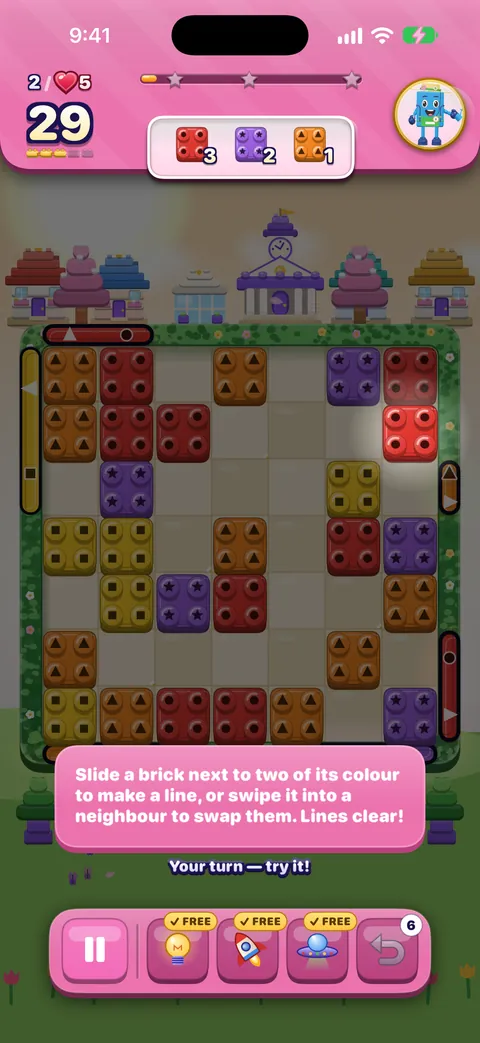
Slide a brick toward an empty space, or into the gate of its own colour to send it home. Swap a brick into its neighbour to make a line of three or more and clear them. Meet the goals in the panel at the top before your moves run out. See Welcome to OutBrick and Playing a board.
Why did my swap bounce back?
A swap only stays if it makes a line of three or more, a 2×2 square, sets off two specials together, or uses a colour bomb. Otherwise the bricks spring back, you feel two short taps, and no move is used. See Swapping and matching.
Can I get stuck on a board?
No. If no move is possible, the board reshuffles for free under a Shuffle! banner, with no move and no life used. A board that still has moves but can never reach your goals is quietly dealt again, and spare bricks are recoloured if a goal runs short of its colour. See You can never get stuck.
How do I earn three stars?
Stars follow your score. Every clear earns at least one star; a higher score earns two or three, and the star track in the header shows how close you are. Each move you have left at the end becomes a line blaster worth 150 points, so finishing early helps. Replay any cleared board from the Journey to improve its stars. See Score, stars and the end-of-board bonus.
What do Hard, Super Hard, Boss and Night mean?
They are tiers, shown on a plaque under the header. Hard boards ask for about 15% more, Super Hard about 30% more, and a Boss (the last board of a chapter, from level 40) about 40% more. A Night board is set after dark and plays like a Hard board. Harder tiers pay more coins. See How to beat a hard board.
Is OutBrick suitable for children?
OutBrick is rated 4+ on the App Store: abstract brick boards, friendly characters, no chat and nothing anyone else writes inside the game. Videos only play when someone chooses one for a reward, and purchases go through Apple, so Screen Time and Ask to Buy can require your approval. The community website, which the game opens in Safari, is for people aged 16 and over. See the age rating and A guide for parents.
Lives and moves
Why did I lose a life?
A life is only used when you lose an attempt at a board. That happens in three ways:
1. You run out of moves and choose Give up (or close the out-of-moves screen). 2. You leave a board after making a move. 3. You restart from Pause after making a move.
The game always tells you first: the Leave? card and the Restart and Give up buttons say when a life will be used. See When a life is used.
Does winning or starting a board cost a life?
No. Opening a board needs a life but does not use one, and winning never costs a life. Leaving or restarting before your first move is free too, and so is playing on with more moves, because that is the same attempt.
How quickly do lives come back?
One every 30 minutes, even while the game is closed, up to five (eight while you own the current Brick Pass). Tap the heart on the Journey header to see when the next one comes.
What is the helping hand?
If a board keeps beating you, the game lends a hand: from your sixth attempt at the same board, you start with 3 extra moves, and the board says “A helping hand: 3 extra moves this try”. It comes once a day per board and costs nothing. See Level failed, and trying again.
What happens when I run out of moves?
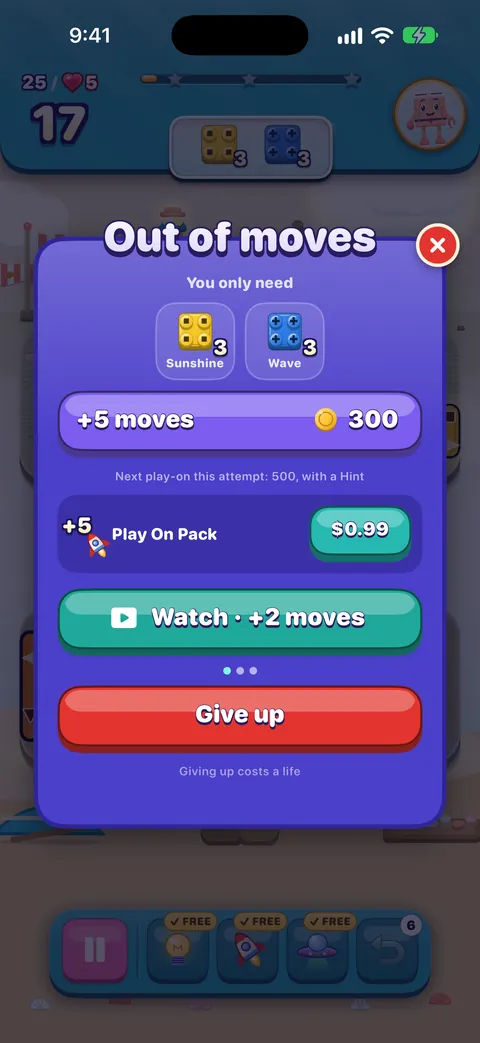
You see what is left and can play on in the same attempt: +5 moves for 300 coins, then 500 (with a Hint), then 900 (with a UFO), or an optional video for +2 moves, then +1, then a free UFO. Or choose Give up, which uses a life. Nothing paid is offered before level 6. See Out of moves.
Is Undo free?
The first undo on every board is free. After that, undos come from a tank of up to five, which refills by one every 25 minutes. See Undo.
I have no lives left. Can I still play?
Once a day, an empty tank may get a free try at a board: win and you keep the life, lose and it costs nothing. Otherwise wait for the next life, refill with coins or a stored refill, or watch an optional video for one life. See Out of lives.
Purchases and ads
Do I have to watch ads or pay?
No. Every board can be played without spending money or watching anything: lives come back on their own, and every attempt comes with a free Hint, Rocket and UFO. Videos and purchases are optional extras.
Are there ads between boards?
No. OutBrick has no forced ads: no banners and no pop-up ads. A video only plays when you choose one for a reward, only a video watched to the end pays, and there is a limit of 39 a day across eight kinds. See Optional videos and Rewards and ads.
What does Remove Ads do?
It takes away every optional video but keeps the rewards: buttons that said Watch say Claim reward and pay at once, within the same daily limits. Owning the current Brick Pass does the same for that season. See Remove Ads and the Brick Pass.
Is anything a subscription?
No. Every pass and timed item is a one-time purchase, and nothing renews by itself. Prices are shown in your own currency by the App Store.
Something I bought is missing. What do I do?
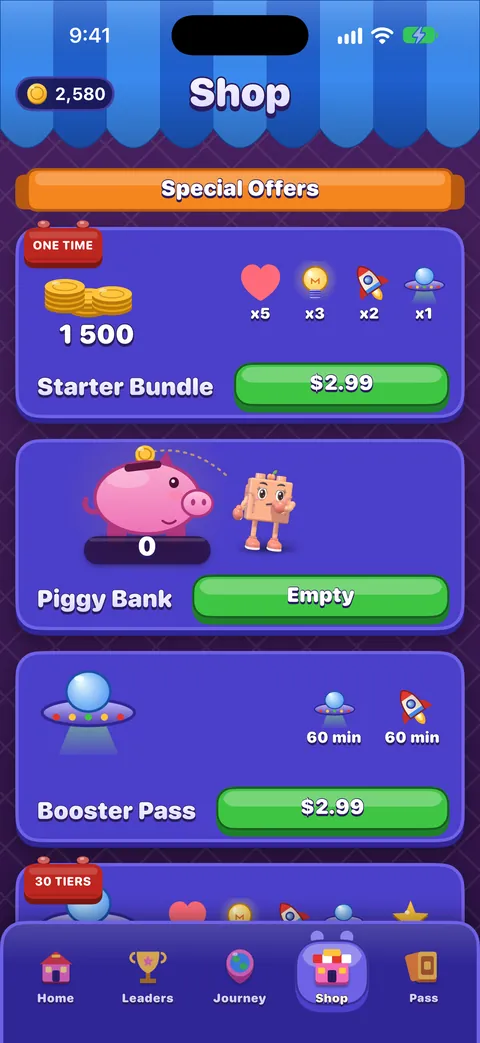
Open the Shop, scroll to the very bottom and tap Restore Purchase. Coins, boosters and lives travel with your progress through iCloud rather than the App Store. Still missing? Write to us privately with the contact form. See Lost progress and purchases.
How do I get a refund?
Purchases are made through Apple, so Apple handles refunds. See our refunds page for how to ask.
Progress and devices
Does OutBrick work offline?
Yes. Every board plays offline, so a tunnel or a flight does not stop you. A few things need a connection: optional videos, purchases and Restore Purchase, the Leaders tab, races and Game Center. Your progress is kept on your device and in your iCloud, and syncs when you are online again.
Will I lose my progress if I change phones?
Not if you use iCloud. Progress is saved in your own iCloud account, so a new iPhone or iPad signed in to the same Apple Account picks up your level, stars, coins, boosters, streaks, Collection and Wardrobe. Then tap Restore Purchase in the Shop. If the old device was never signed in to iCloud, sign in there and open OutBrick once before you switch. See Moving to a new iPhone or iPad.
Do I need an OutBrick account?
No. There is no OutBrick account to create: the game uses your iCloud. The community website has its own optional sign-in, separate from the game.
Can I play on my iPhone and my iPad?
Yes. Signed in to the same Apple Account, both devices share one save through iCloud. When they disagree, nothing is overwritten: the higher level and counts are kept and collections are combined. Sound settings and most board accessibility settings stay on each device; your Colour-blind choice follows you.
How do I start again from level 1?
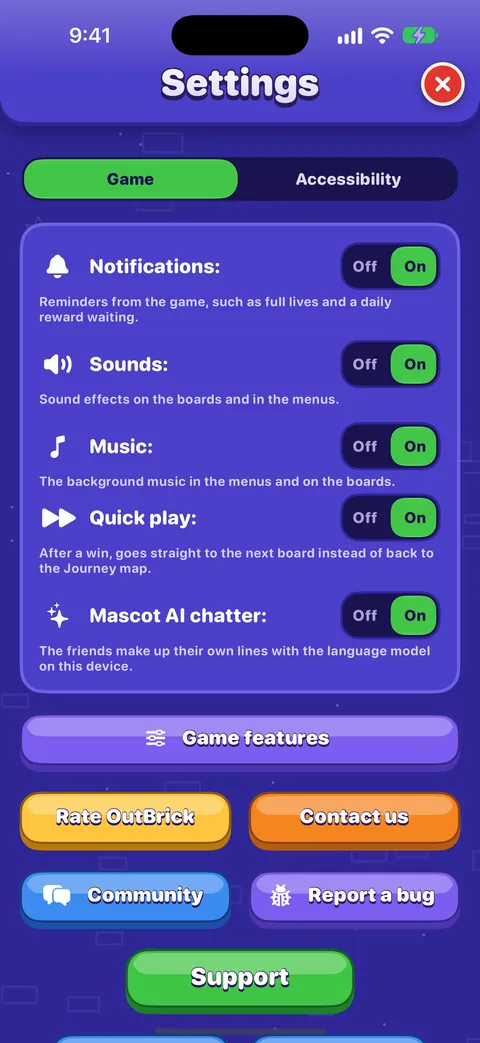
Settings › Delete My Data, at the very bottom of the Game tab, resets your progress and asks iCloud to delete your save. It cannot be undone. See Deleting your data.
Käyttöapu
Can I play if I am blind or have low vision?
Yes. With VoiceOver, every board reads cell by cell, every piece is named by kind, colour and state, and you slide and swap with actions such as “Slide left, out through the red gate”. Rotors jump straight to goals, specials, blockers and gates, and a two-finger double tap gives a free hint. For low vision, try the High-contrast board and Larger Text. See Playing with VoiceOver and Vision, hearing and motion.
In 5.1 and 5.1.1, VoiceOver can lose its place on the board; a fix is on its way. See known issues for what to do meanwhile.
Can I play if I am colour-blind?
Yes. Colour-blind symbols are on from the very first board: every colour has its own shape (red circle, orange triangle, yellow square, green diamond, blue plus, purple star, pink bar, teal hexagon), and goals and gates carry the same shape. See Colour-blind symbols.
Can I play with switches, my voice or a keyboard?
Yes. Every board can be played with Voice Control (“Tap Red 14”, then “Tap Left”), Switch Control or the arrow keys. Hold to confirm swaps makes you choose each move twice, so nothing plays by accident. See Voice Control, Switch Control and keyboards.
Do I need to hear anything to play?
No. The friends talk in text bubbles, not voices, and every sound has something on screen to match it. Haptics let you feel moves land. See Sound, music, haptics and Row sound.
Can I slow the game down?
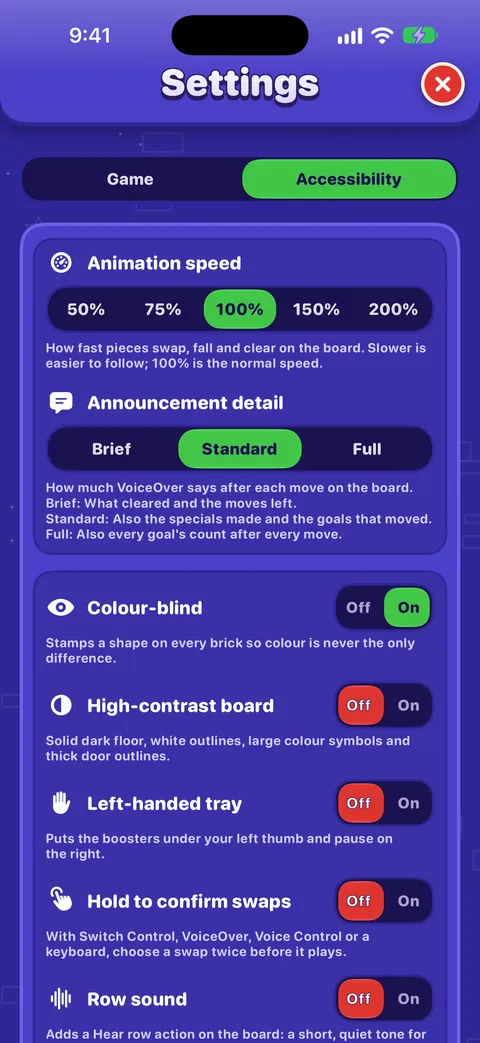
Yes. Settings › Accessibility › Animation speed goes from 50% to 200%; at 50% every swap, fall and clear takes twice as long. With no clock anywhere, the only pace is yours. See Playing calmly.
The team
How do I contact a person?
In the game, open Settings › Contact us, or use the contact form on this website. A person on the team reads every message, and we aim to reply within two working days. Your message gets a reference (like OB-7K2QXM) and a private link to follow it. Never send a password or card details.
Who makes OutBrick?
OutBrick is a small, independent project. Read more on About OutBrick.
How do I report a bug?
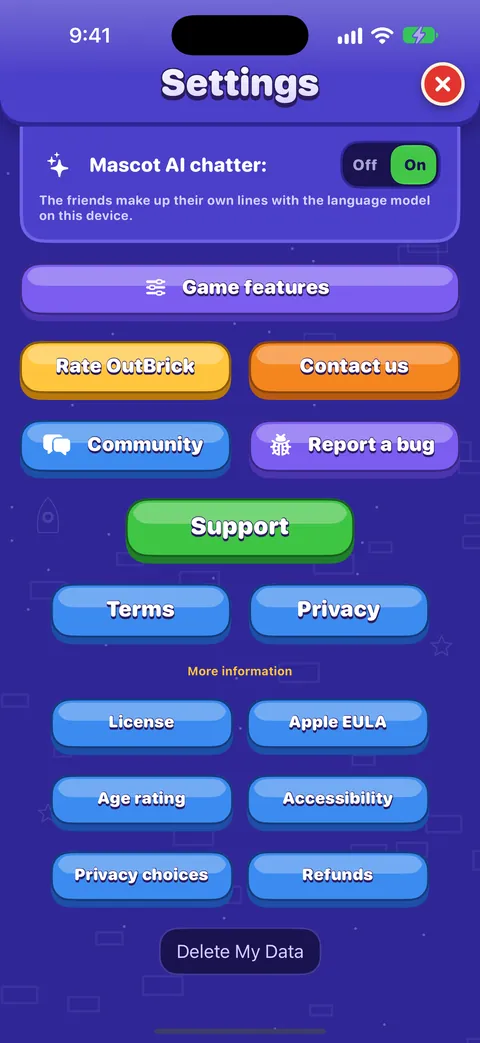
In the game, Settings › Report a bug opens a report with your device, versions and level already filled in, without your name or account. See Reporting a bug well, and check known issues first: we may already be fixing it.
Where can I ask other players for help with a level?
Use Help with a level: enter the level number to see what others said about that board, or ask them. See Using the OutBrick Community.
Can I suggest an idea or test updates early?
Yes. Post and vote in Ideas & feedback, and see Help shape OutBrick to join the beta group or the accessibility panel.
Still not answered?
Search the Help Centre for a word from your question, or ask in Help & support. For anything private, such as a purchase, use the contact form.
Oliko tästä oppaasta apua?
Keep reading
Welcome to OutBrick: your first board
What OutBrick is, how the teaching cards work, how to read a board’s goals, and what happens when you clear it.Lives, running out of moves, and undos
When a life is used and when it is not, how lives come back, what the out-of-moves screen offers, the helping hand, the free daily try, and optional videos.Troubleshooting common problems
Quick fixes for missing progress, purchases that did not arrive, lives that seem stuck, no sound, missing notifications, widgets, videos that will not load and VoiceOver focus problems.Accessibility in OutBrick: start here
Every way OutBrick adapts to you, from VoiceOver and Switch Control to colour-blind symbols, a high-contrast board, slower animation and no timers, with a starting point for your needs.A guide for parents and carers
What OutBrick is and is not, the Apple controls that put you in charge of purchases, time and notifications, how refunds work, what data the game and this website keep, and a checklist to work through.Lost progress or a missing purchase: step by step
Bring back a purchase with Restore Purchase, what to send us if it is still missing, how Apple handles refunds, and how to recover progress through iCloud, on a new iPhone or iPad, and with Game Center.
Tiimin ihminen lukee jokaisen viestin. Pyrimme vastaamaan kahden arkipäivän kuluessa.
Yhä jumissa?
Yhä jumissa?
Kysy yhteisössä. Tiimi ja muut pelaajat vastaavat avoimesti, eikä sähköpostiosoitettasi koskaan näytetä.
Kysy yhteisöltäLöysitkö virheen?
Hyvä ilmoitus korjataan nopeammin. Virhelomake kysyy juuri sen, mitä tarvitsemme.
Ilmoita virheestäKirjoitatko mieluummin yksityisesti?
Yhteydenottolomake tavoittaa saman tiimin yksityisesti. Käytä sitä ostoihin ja kaikkeen henkilökohtaiseen.
Ota yhteyttä tukeen